
|
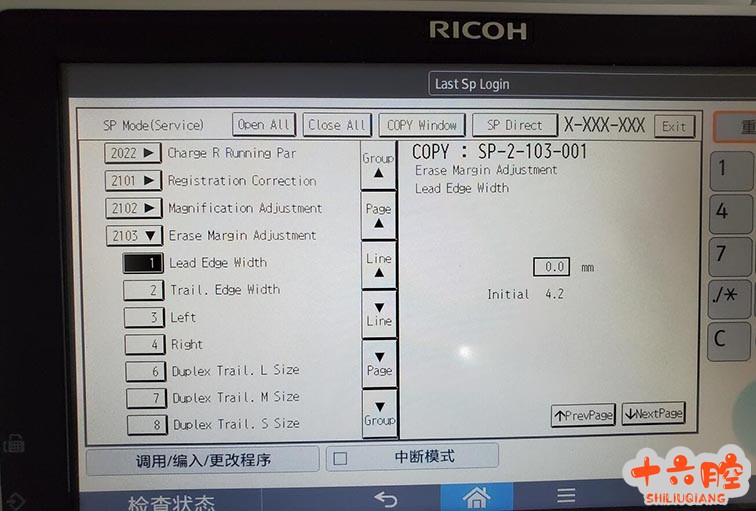
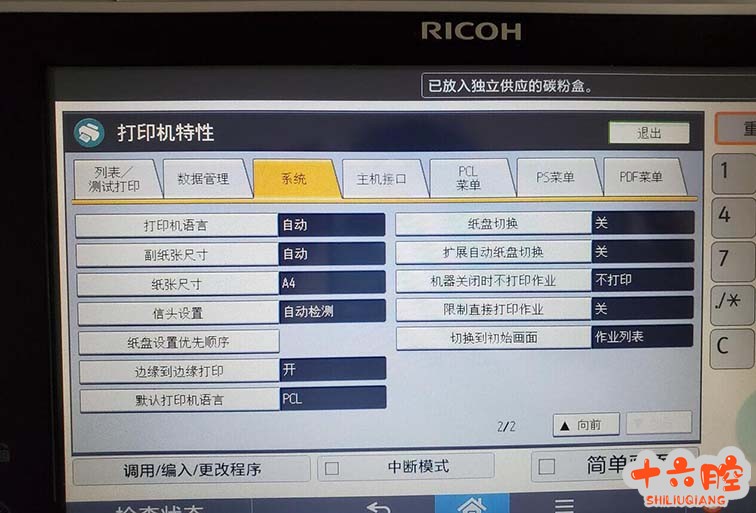
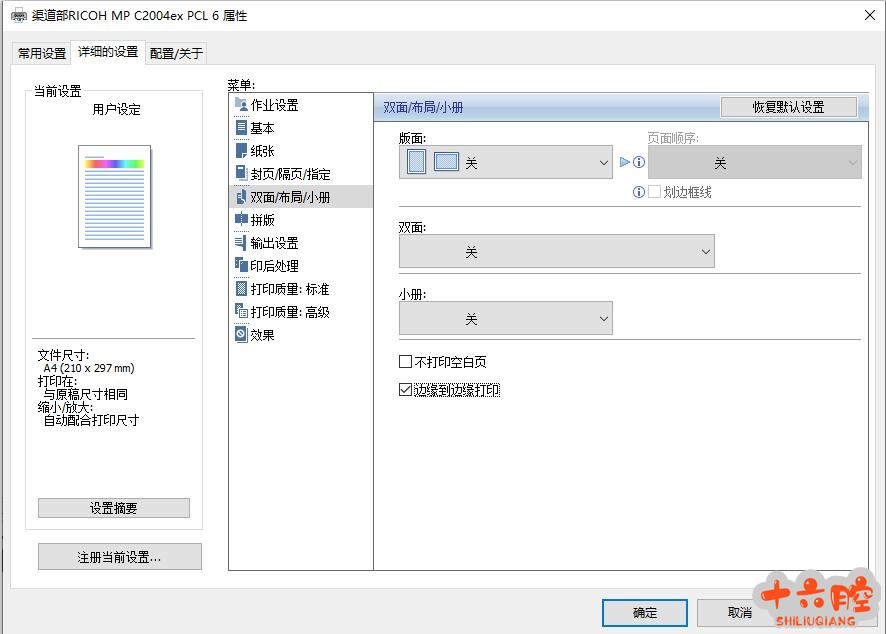
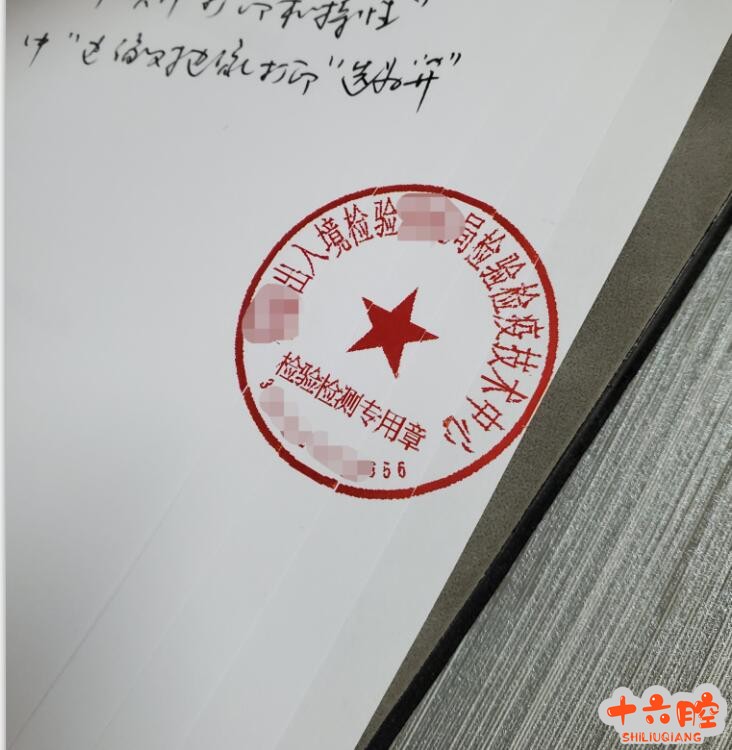
Step 1: Change the data in SP2-103-001,002,003,004 to '0' in maintenance mode (Figure 1),Step 2: User Tools-Machine Special New-Printer Features-Edge-to-Edge Printing-Set to "On" (Figure 2).Step 3: When printing, check the "edge-to-edge printing option" in the driver (Figure 3).Step 4: Fine-tune the carton alignment according to the printed effect (the data corresponding to the carton and the corresponding paper type in the SP1-001). The actual printed effect is shown in Figure 4.Here is an explanation: this method is only applicable to the printing of saddle stitches. at ordinary times, the boundless printing we talk about is not the same thing, and the paper in the paper box needs to be placed in the direction of long-side paper feeding when printing saddle stitches.
|
Address of this article:https://073868.com/post/5597.html
Copyright Notice:
For relevant infringements, reports, complaints and suggestions, please send E-mail:weixiuwang68@qq.com






