
|
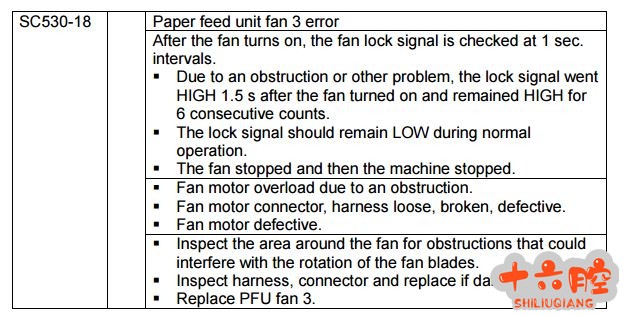
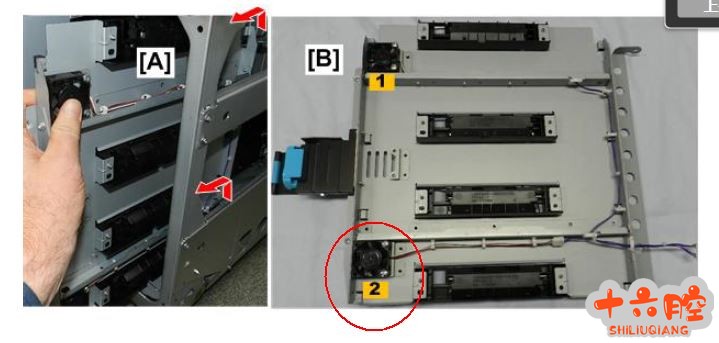
Ricoh MP650375039003 code SC530-18 is not listed in the maintenance manual. Symptoms Fault: Startup alarm SC530-18 Reason 1. Input and output devices in the paper path. 2. IOB。 Reply to check the reason Maintenance process After the faulty machine is turned on, it immediately reports SC530-18; 2. The error message cannot be found in the maintenance manual. Upon checking the RTB, the following information was obtained: the indication of SC530-18 is equivalent to SC520-15; 3. Check bit 0, bit 1, and bit 3 of SP5803-012 to confirm the status of the paper path fan. It was found that the value of paper path fan 3 was in the "1" locked state. Use SP5804-120 to 122 to check the operation status of the paper path fan, and it was found that paper path fan 3 cannot operate normally; 4. Check the dot plot and use a multimeter to confirm the conductivity of the fan connection; 5. It was ultimately confirmed that there was an open circuit in the wiring harness of the fan. After repairing the wiring harness issue, the fault was resolved when the fan was turned on. Solution After repairing the broken wire harness of paper path fan 3, the fault was resolved. Note: This malfunction displays a completely different change from all previous MT models, adding three paper path fans on the vertical conveyor board to enhance the stability of paper path transportation. The problem with Paper Box Fan 3 is that there is a fan underneath the cardboard guide
|
Address of this article:https://073868.com/post/5572.html
Copyright Notice:
For relevant infringements, reports, complaints and suggestions, please send E-mail:weixiuwang68@qq.com







