
|
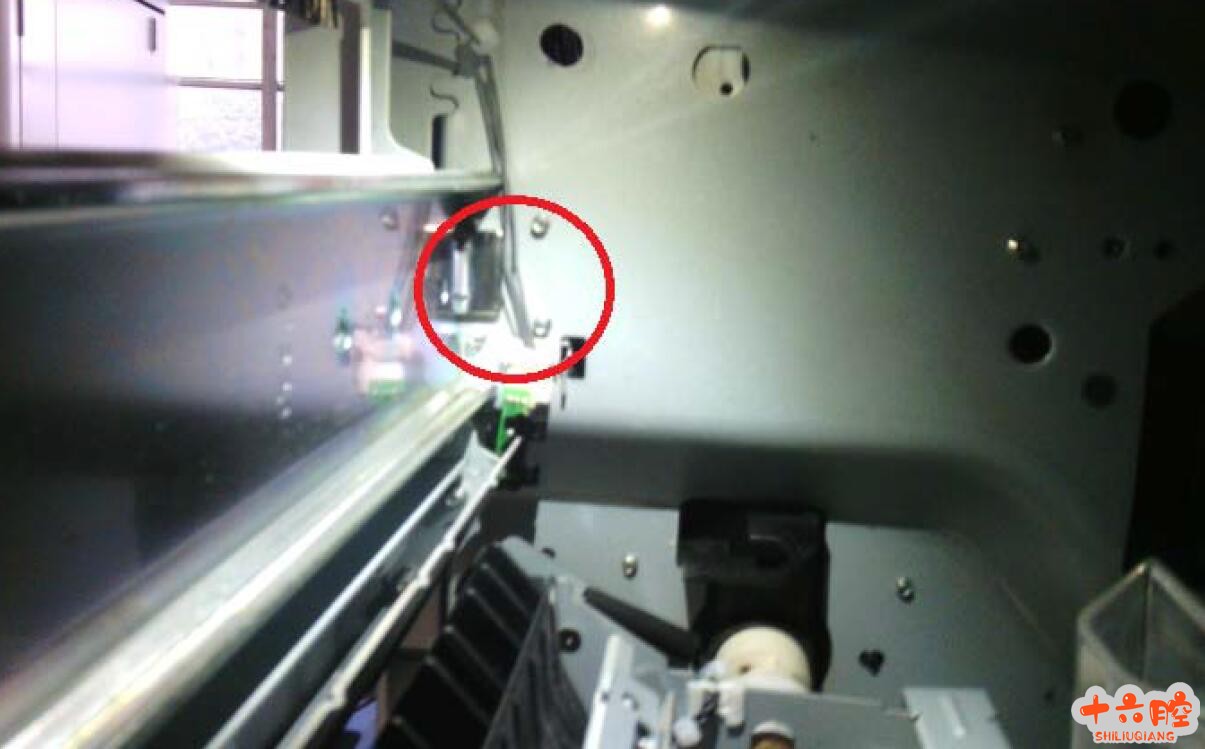
Ricoh MP6001,7001,8001,9001 error code SC670, two repair cases Case One: Symptoms: 1) The machine starts to display the fault code SC670; 2) Sometimes after the machine is turned on, the first printed matter goes out of the fixing port or the display screen shows the fault code SC670 after it is stuck at the fixing port. Reason: The control panel unit is defective; BCU board defect; Bad motherboard; Software errors; Poor PSU-E or PSU-C; Bad paper exit sensor harness. Maintenance process: On-site maintenance measures: 1) Update the engine firmware, the fault still exists. 2) Replace the control board unit, BCU board, motherboard, PSU-E board and PSU-C board, the fault still exists. 3) Check the machine parts and find that the height sensor of the copy tray has fallen off (fell into the inside of the machine) and the wiring harness is damaged. Analysis: When the fixing part is pushed into the machine, the broken wire harness is grounded, causing the machine to fail SC670. As shown in the figure below:
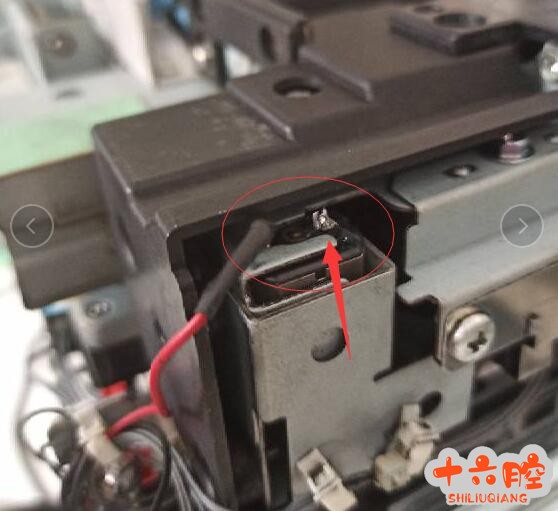
Solution: Replace the sensor wire harness, relocate the sensor, and the test machine is normal. Case Two: Symptoms: The code SC670 is reported during the use of the machine. Sometimes it is printed, but it cannot be copied. Sometimes it appears when the machine is turned on. There is no rule. Reason: The control panel unit is defective; BCU board defect; Bad motherboard; Software errors; Poor PSU-E or PSU-C; Bad paper exit sensor harness. Maintenance process: It is useless to replace the control board, it is useless to remove the hard disk, and it is still impossible to replace the power board. Finally, I carefully checked the fixing part and found that the motor line of the cleaning paper was broken, resulting in poor motor contact and SC670 short circuit. As shown in the figure below.
Note: on the SC670 code, the maintenance staff in the maintenance process must be carefully checked, is not a short circuit caused by the problem. |
Address of this article:https://073868.com/post/5551.html
Copyright Notice:
For relevant infringements, reports, complaints and suggestions, please send E-mail:weixiuwang68@qq.com






