
|
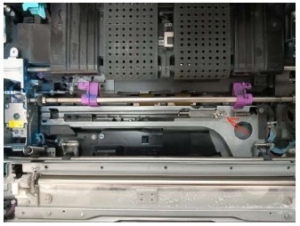
Pro C5210S error SC516-01. Under this fault, the device can print on one side but cannot print on both sides. Reason: After checking the maintenance manual SC516-01, it was found that the edge detection sensor had an in-situ error in the moving motor. We should focus on checking the surrounding area and alignment units of the second wheel. Solution: 1. Upon arrival, the double-sided document was tested and found to be stuck with error SC516-01. 2. Remove the outer shell of the middle drawer and test again. It was found that the fault occurred with abnormal noise. It is considered that it may be caused by loose belts leading to slipping, or by worn motor gears. 3. Upon inspection, it was found that the tensioning belt at the position shown in the figure was loose. Adjust the tension again.
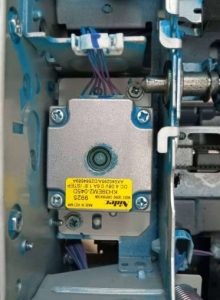
4. Clean and handle the tension pin under the second rotating component, and install the belt. 5. Clean the drive motor and unplug the plug again.
Summary: Do not blindly dismantle key positions. Observe and solve more. |
Address of this article:https://073868.com/post/5505.html
Copyright Notice:
For relevant infringements, reports, complaints and suggestions, please send E-mail:weixiuwang68@qq.com
Tags: #C5210S #SC516-01 #c5210 #c5200 #secondary transfer







