
|
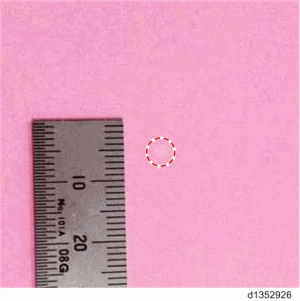
[Symptoms]After replacing the developer in a low temperature and low humidity environment (10C/15%), the halftone image displays white or black dots. Note: Copperplate paper printing is prone to displaying black spots.
ReasonThe relative potential of some carrier particles inside the newly installed developer is relatively high. These particles may be transferred to non image OPC drums and then fall before image transfer. As a result, white spots appeared in the image. If these carrier particles transfer to ITB, the color powder around the carrier falls, forming black spots.SolutionPerform the following operations:Model D137/138:Execution in technician settings“Adjust image density" (0201-01) 。Note: Low development gamma (less than or equal to 0.8) or high OPC potential, low temperature and low humidity environment, this operation is effective.Model D135/136:Execution“Concentration adjustment process controlTouch: [User Tools/Counter] - [Manage] - [Auto Color Check] Note:
|
Address of this article:https://073868.com/post/5376.html
Copyright Notice:
For relevant infringements, reports, complaints and suggestions, please send E-mail:weixiuwang68@qq.com
Tags: #White spot #6502 #8002






