
|
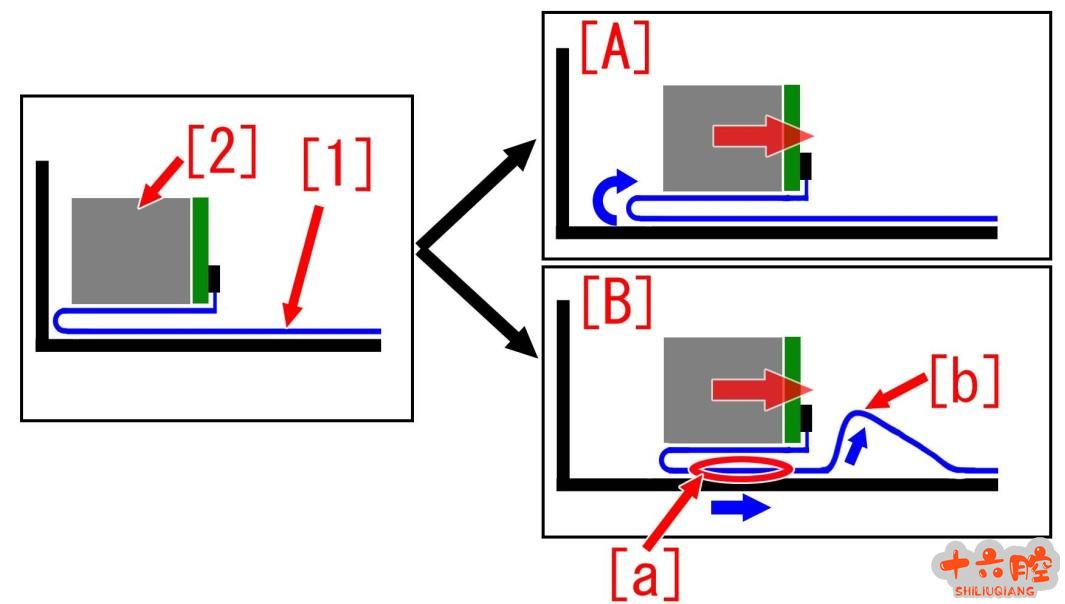
Product Model: iR-ADV 4025/4035/4045/4051 iR-ADV 4225/4235/4245/4251 iR-ADV C3320L/3320/3325/3330 iR-ADV C2030/2025/2020/2020L iR-ADV C2230/2225/2220/2220L iR-ADV C5255/5250/5240/5235 Topic: Measures for error code E280-0002/E302-0001 display. [Phenomenon] Error code E280-0002 or E302-0001 may occur. -E280-0002: A broken cable between the reader controller circuit board and the scanning assembly (front of the paper) is detected. -E302-0001: A shadow value error was detected during white shading. [Cause] When the scan unit [2] starts to move to scan a document, the flat cable [1] inside the host slides at [a] andThe position is arched; the arched flat cable may collide with the scanning unit during the movement. If the collision between the two repeatedly occurs, it will cause the flat cable to be disconnected and cause the above-mentioned malfunction. Figure [A] shows the movement of the scanning unit when the flat cable is in the correct position, and Figure [B] shows the lower side [a] of the flat cable on the bottom plate of the reader frame moving together with the scanning unit in the direction shown by the arrow.The position is arched.
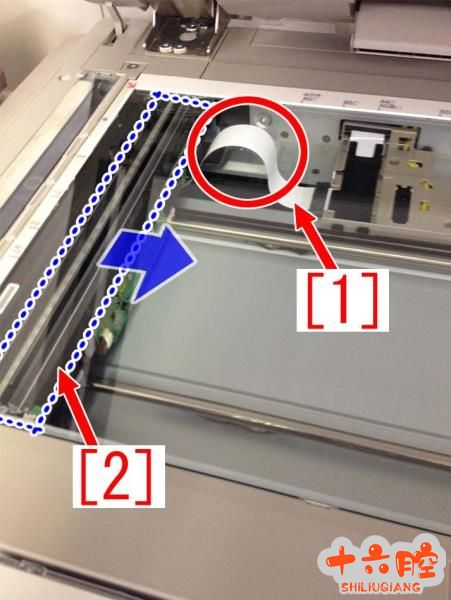
The following photo shows the state when the flat cable [1] bulges. [2] indicates the scanning unit, and the blue arrow indicates the direction in which the scanning unit moves.
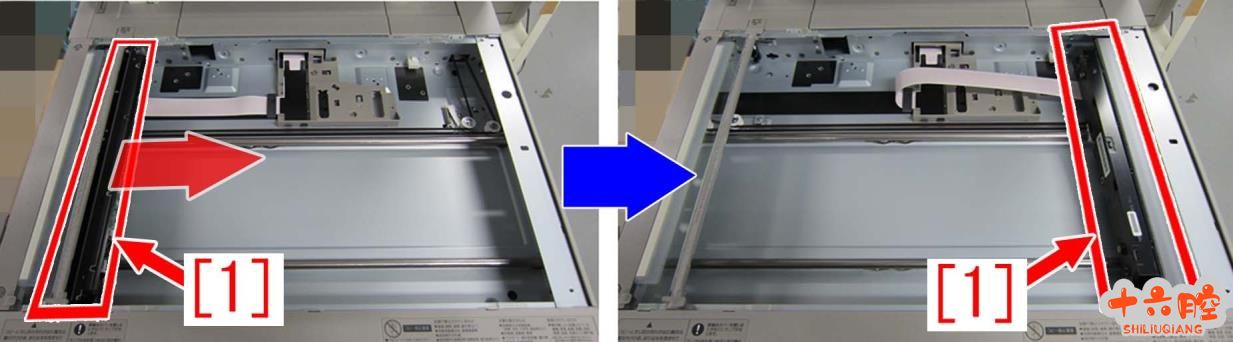
[Maintenance work] When the above failure phenomenon occurs, please prepare a new type of friction plate (FL0-3218-010), and follow the steps described below to stick the friction plate to the position where the reader frame and the flat cable contact. 1) Remove the original table glass, and then slide the scanning unit [1] to the right.
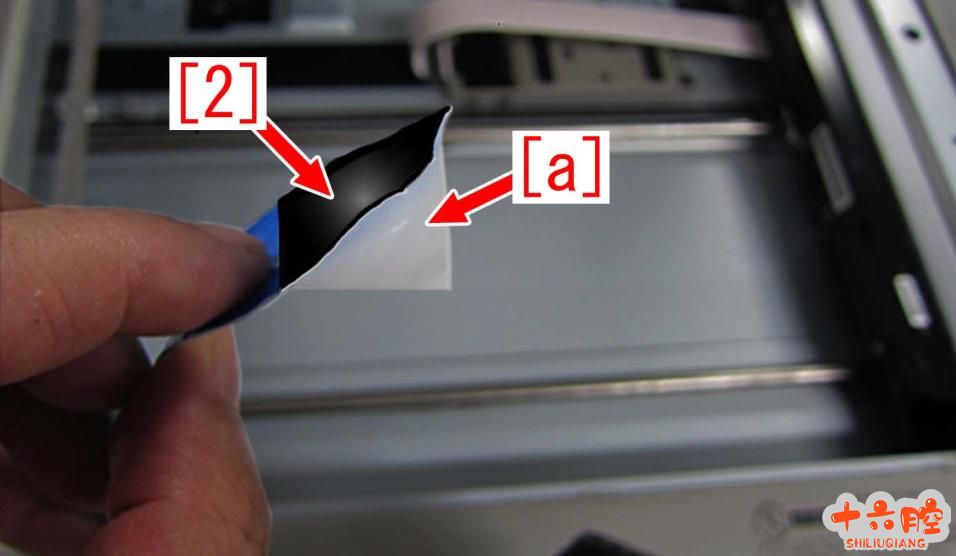
2) Remove the adhesive treated paper [a] of the friction plate [2] by approximately 30 mm from the top. (Note: The surface of the top of the friction plate is newly added with a black sliding plate)
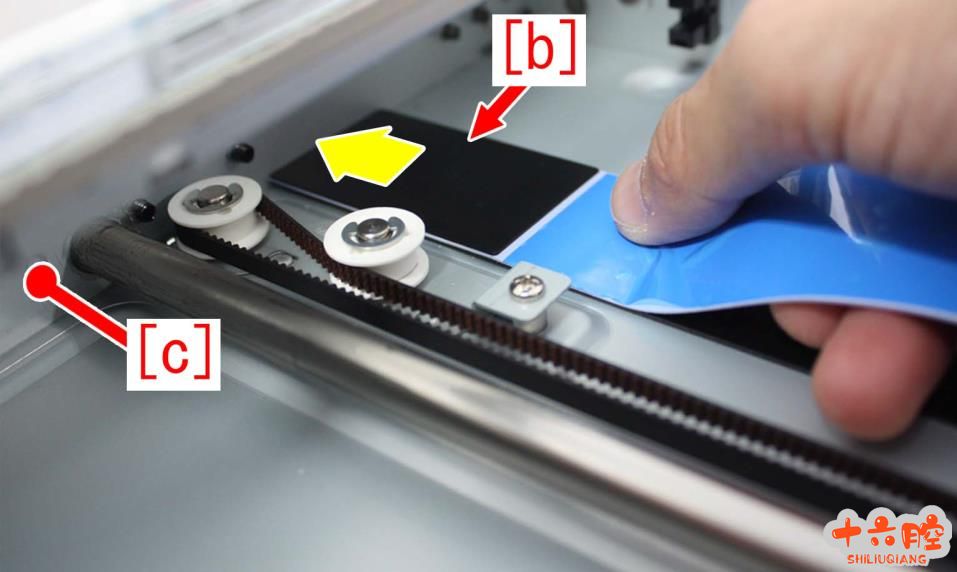
3) The top of the friction platePlace on the black FFC guide and make it contact with the inner wall of the reader frame [c].
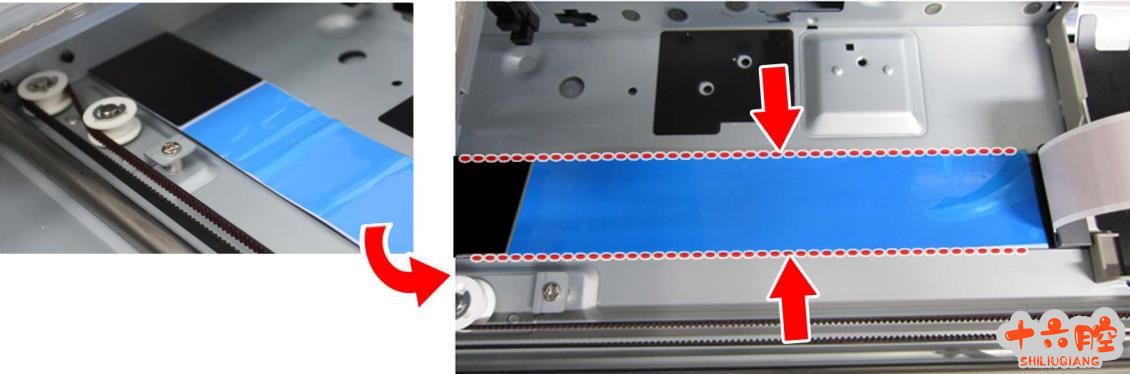
4) Slowly remove the adhesive treatment paper completely and paste the friction plate completely over the black FFC guide plate. Make sure that the friction plate is fully aligned and in full contact with the edge of the black FFC guide as much as possible.
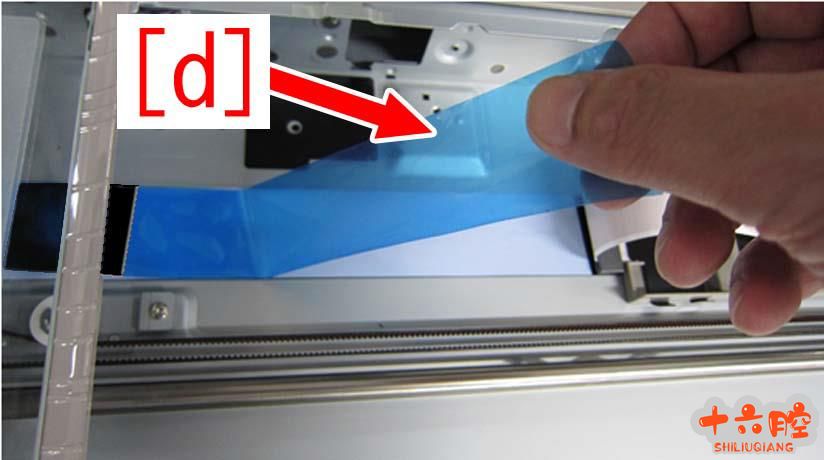
5) Uncover the blue protective film [d] on the surface of the friction plate.
6) Reinstall the original table glass. When the power of the compound machine is turned on, the scanning unit moved to the right side of the reader frame in step 1) above will automatically move back to its original position. |
Address of this article:https://073868.com/post/5104.html
Copyright Notice:
For relevant infringements, reports, complaints and suggestions, please send E-mail:weixiuwang68@qq.com







