
|
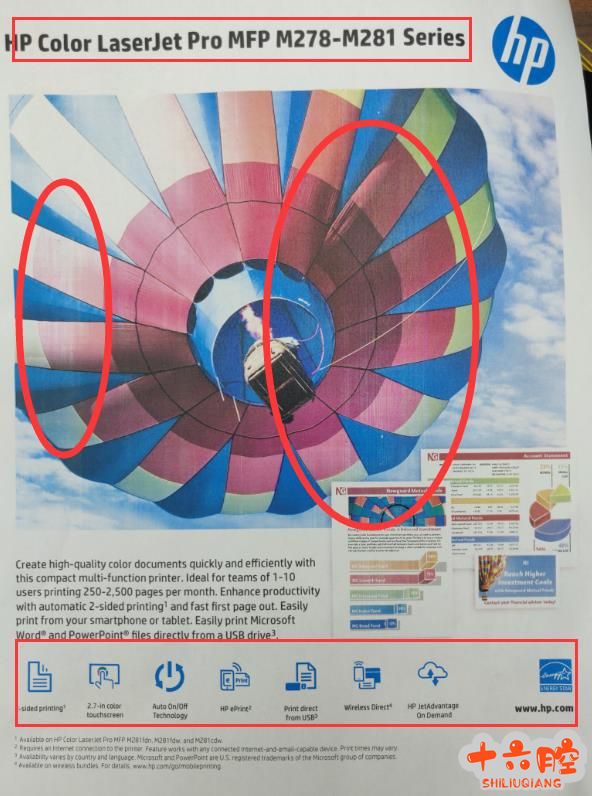
Fault Description: Red and yellow are not correct, with stripes printed. As shown in the sample below, you can see printing streaks and abnormal yellow and red colors.
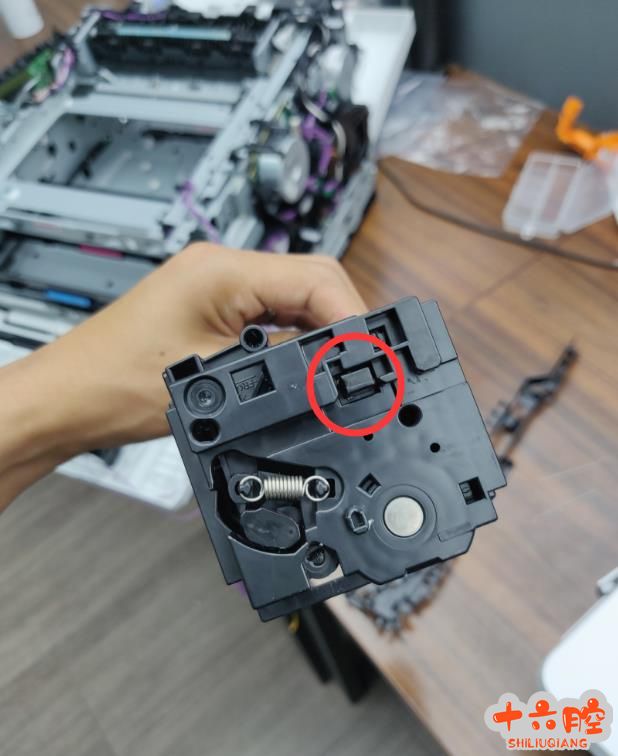
Resolution process: From the sample, there are two problems with this machine. The first problem is to print the lines, and the second problem is that the red and yellow colors on the left are light. Specific troubleshooting ideas are as follows: 1. First do color calibration, nvram and super nvram operations to eliminate software problems. After corresponding operations, the failure remains. 2. Replace consumables test, the fault remains. (For some consumables that cannot be replaced for testing, we can use shielding testing to make a preliminary judgment on whether it is a consumables problem or a charging problem) 3. Do shielding test, shielding magenta main charging roller test, shielding points and test results are shown in the figure below. (ANZP series printers, normally shield the main charging of a certain color, the front side will be full of a certain color, and the back side will be slightly gray. Shielding a certain color developing roller, the front side will be slightly gray, the back side is normal), from the shielding sample, it is preliminarily judged that there should be no problem with charging, then the problem point is preliminarily locked on ITB, ECU control, cable and laser.
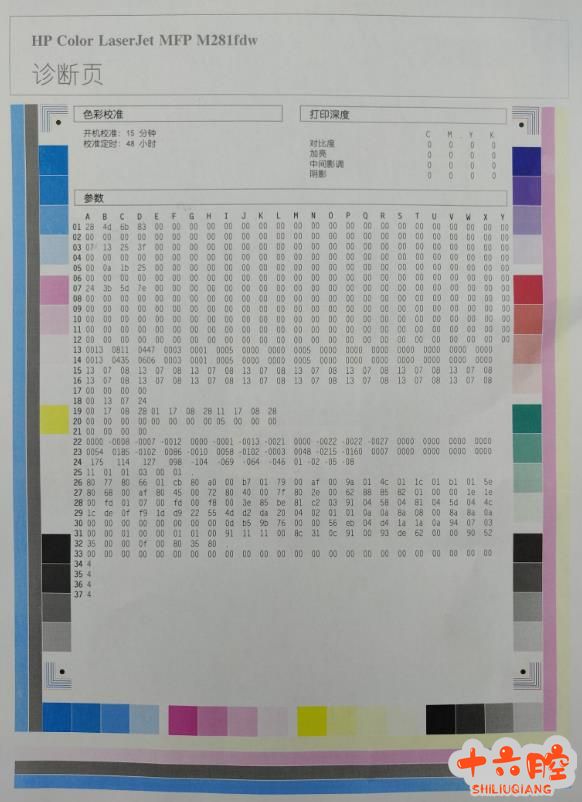
4. Combined with the diagnosis page, as shown in the following figure, further analysis shows that cyan and black printing is normal, while magenta and yellow printing is missing, and this problem only occurs on the left side, then the problem point is basically locked on ECU control, data line and laser.
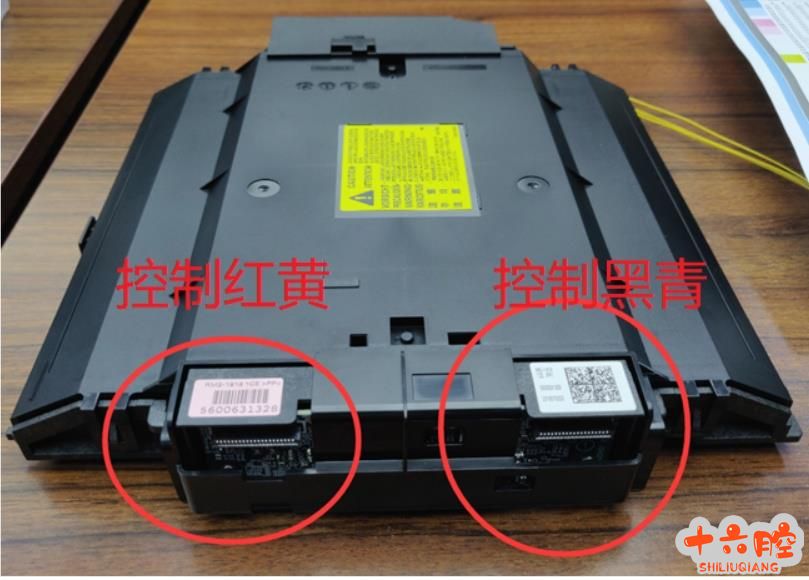
5. Therefore, there is only one laser for the printer, which controls four colors, a group of black and cyan, and a group of magenta and yellow. As shown in the following figure, the fault remains when the laser is plugged and unplugged.
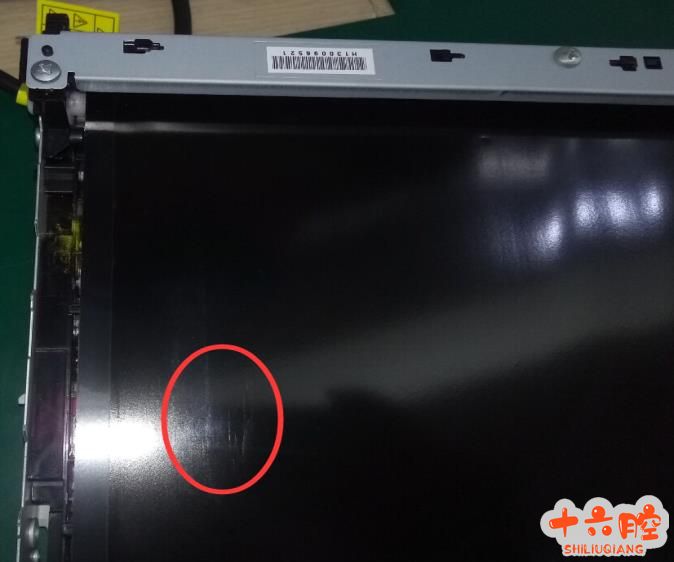
6. All operable things have been done, and the remaining fault points are basically locked on ECU and laser. Combined with diagnosis page and fault page analysis, laser test is decisively replaced, and red and yellow on the left can be printed normally. 7. For the problem of printing lines, the toner cartridge has been replaced. When the semi-self-test is not heated, the problem has occurred. Then the problem is basically locked in the imaging part. Remove the belt to check. There are signs of wear on the ITB. Replace the ITB to solve the problem.
Share summary: According to the summary of this case, we should make full use of the imaging principle to understand the structure of the machine. For machines with multiple failure points, we should clearly identify the primary and secondary problems, clarify the thinking, and investigate step by step, from simple soft operation, replacement of consumables to shielding test, and then analyze step by step according to the imaging process. Don't blindly order spare parts, which will affect both the timeliness and the customer's feelings. I hope this sharing can bring help to everyone. Thank you. |
Address of this article:https://073868.com/post/5012.html
Copyright Notice:
For relevant infringements, reports, complaints and suggestions, please send E-mail:weixiuwang68@qq.com
Tags: #m278 #M281fdw #red is not right #Printing with stripe fault #Transfer printing







