
|
Fault phenomenon: Printing with ghosting Troubleshooting ideas: The fault points related to printing quality are: 1. The problem with toner cartridges 2. Is the electrode wire in good contact with the high-voltage plate 3. Heating component 4. Laser 5. Transfer printing unit 6. User environment (power environment, temperature and humidity) and paper
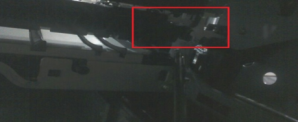
Resolution process: Firstly, replace the consumables, which is ineffective. 2. Checked the heating components and no abnormalities were found. 3. Conducting a semi self check is the best way to check printing quality issues. The semi self check detects that the surface image of the toner cartridge is normal, and the transfer to the paper length is also normal, as shown in the picture: 4. During the semi self inspection of the paper head passing through the heating element and the paper head just arriving at the heating element at two different time periods, it was found that there was a phenomenon of ghosting when the paper head first arrived at the heating element. Upon careful observation, the problem was identified as shown in the figure: The reason is that the plastic sheet of this protective device normally rises and falls when the toner cartridge door is opened and closed, resulting in the right end falling off and being in a malfunctioning state. When the door is closed, it cannot be lifted, causing the image on the paper that is not fixed to be rubbed and resulting in ghosting. Troubleshooting tips: When encountering problems, one should cultivate enough patience to find the root cause of the problem. To do a semi self check, one should observe the imaging situation of the semi self check page at different time periods. I hope this sharing can be helpful to you. |
Address of this article:https://073868.com/post/4977.html
Copyright Notice:
For relevant infringements, reports, complaints and suggestions, please send E-mail:weixiuwang68@qq.com
Tags: #5200 #Print dirty #Heating component






