
|
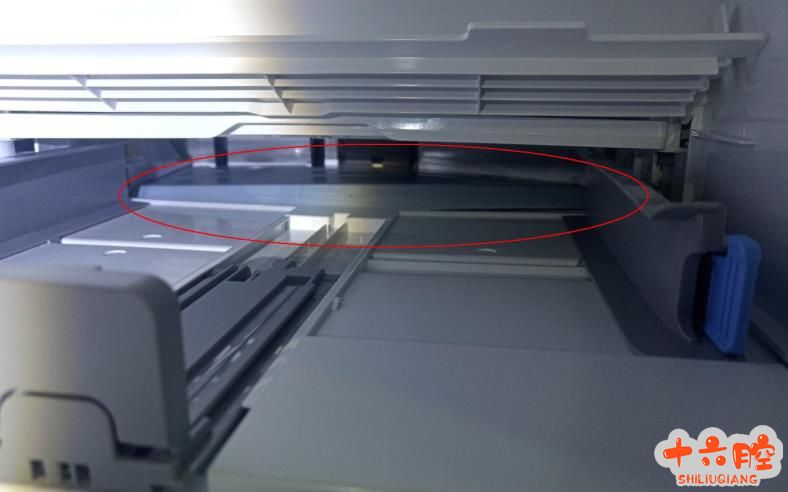
Fault Description: M203 booting abnormal sound, ready light and error light flash at the same time, online printing test error 59.C0. Resolution process: After communicating with the user and understanding that the paper jam is caused by pulling the paper jam from the paper feeding direction, check the printer and find that the cardboard is stuck in Figure 1.
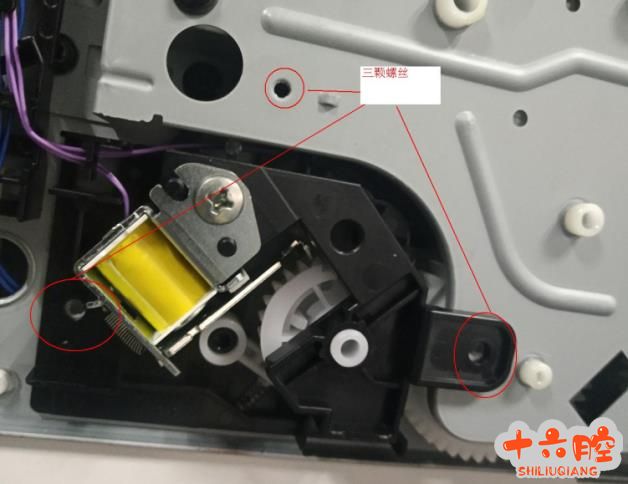
Disassembling right side cover [kkpay=7]
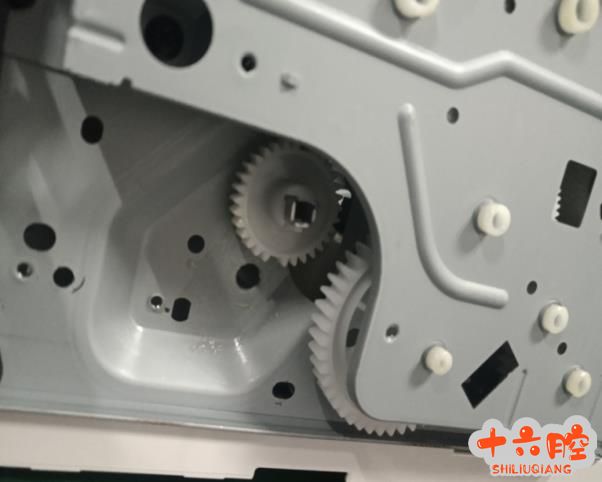
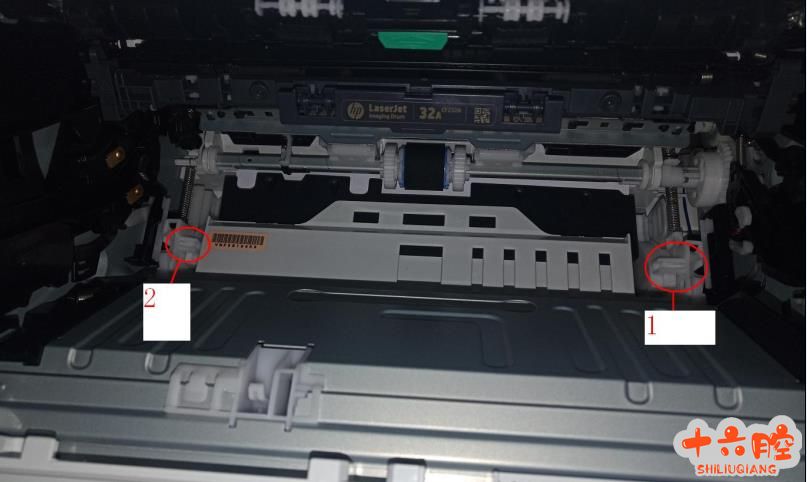
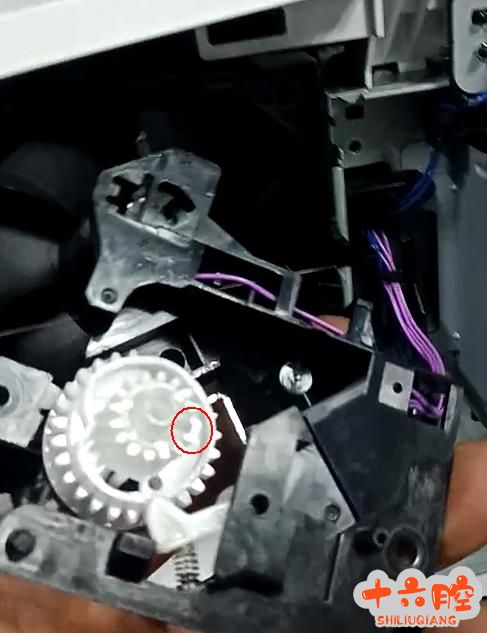
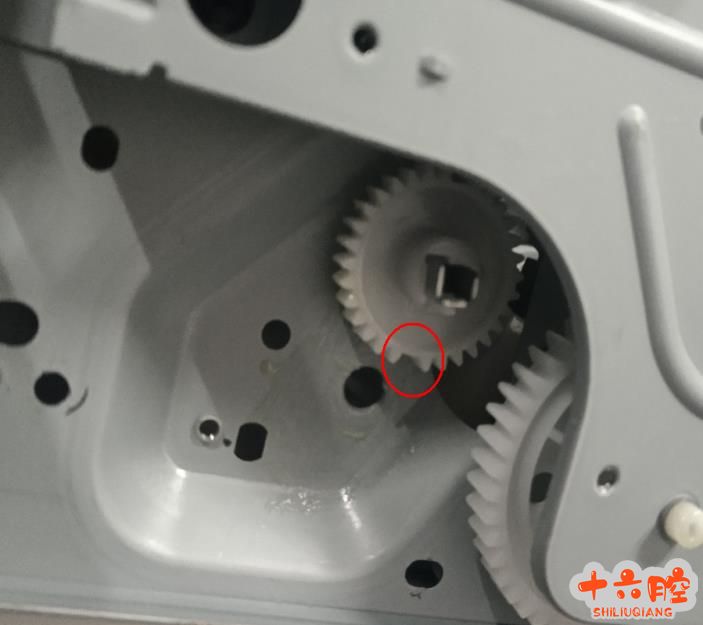
Remove the black part to adjust the positioning of the lifting cardboard, then push the position of the lifting cardboard clutch 1 to the position of the picture first, push the position of 2 to the position of the picture to lock the lifting cardboard, then press the removed black part back, pay attention to the gear must be aligned where the red circle is drawn in the following two pictures, and troubleshoot after installation.
[/kkpay]Share summary: In fact, in the actual maintenance process, I adjusted the black part several times before adjusting it. After the first adjustment, there was no abnormal noise. However, the wrong light will flash when starting up. The online printing prompt is 59.C0. After several disassembly and assembly, I summarized the above method. The step of locking the cardboard lifting is always necessary. M203-M227, when encountering such a problem, first understand with the user how the problem occurred. If it is caused by paper jam, you can first disassemble the machine and try to adjust it, and then check whether the main motor control board needs to be replaced by reporting an error 59.XX according to the maintenance manual. |
Address of this article:https://073868.com/post/4840.html
Copyright Notice:
For relevant infringements, reports, complaints and suggestions, please send E-mail:weixiuwang68@qq.com







