
|
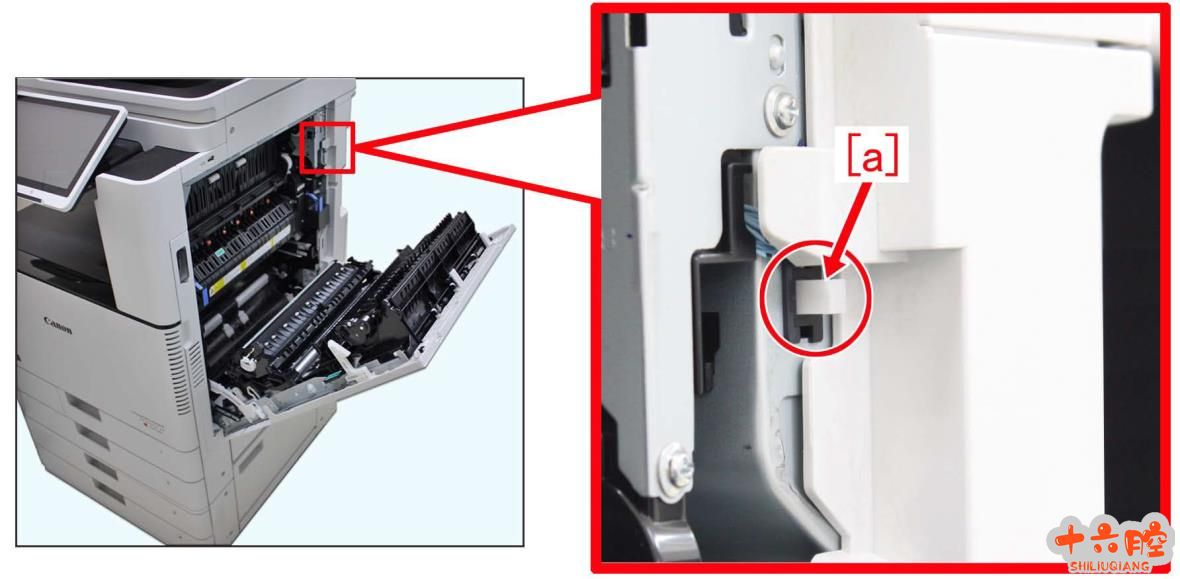
iR-ADV DX C3720/3725/3730 Topic: 010B/0106 Explanation of countermeasures in case of paper jam. [Fault description] 010B or 0106 paper jam occurs. -010B: Pre position sensor delay paper jam. -0106: Fixing outlet sensor delayed paper jam. [Cause of Failure] For the host that has been used for a period of time, due to vibration or repeated opening and closing of the right door, it may cause insufficient push in of the switch after the right door is closed. If the sensor detects that the push switch has not been fully pushed into place, it will determine that the right door is not closed and temporarily stop the rotation of the conveyor motor. This will lead to the occurrence of the above-mentioned faults.
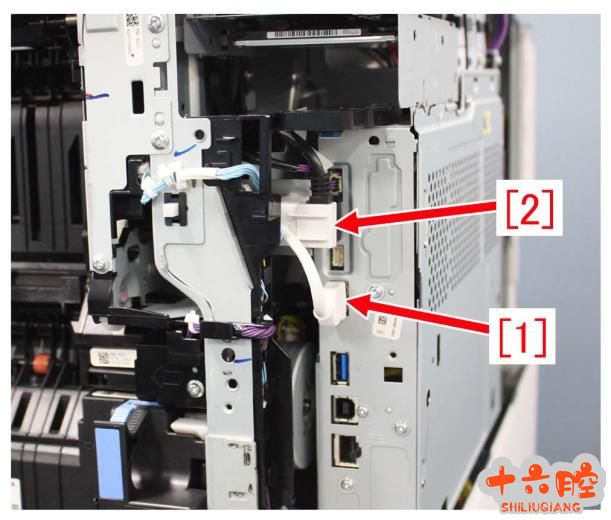
[Maintenance measures] When the above fault occurs, please prepare and follow the following steps to replace the new type of right door push in detection switch (WC2)- 5803-000). The detection function of this switch will not be affected by the different push amounts of the switch. 1) Open the right door of the host and remove the rear cover plate (upper rear side) 2) Disconnect the plug [1] and remove the cover plate [2].
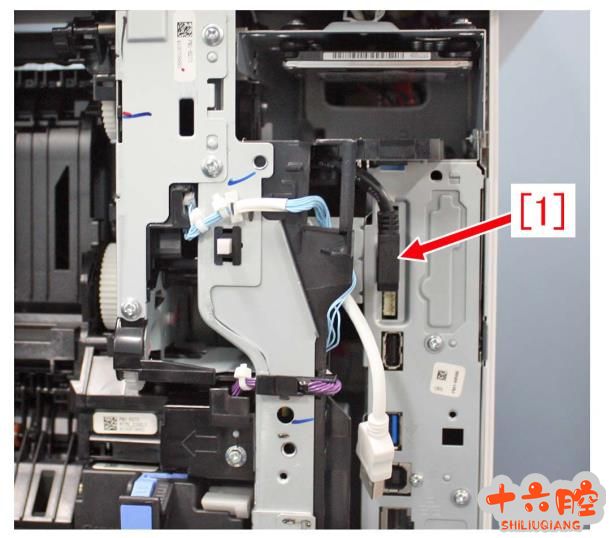
3) Disconnect the black plug [3].
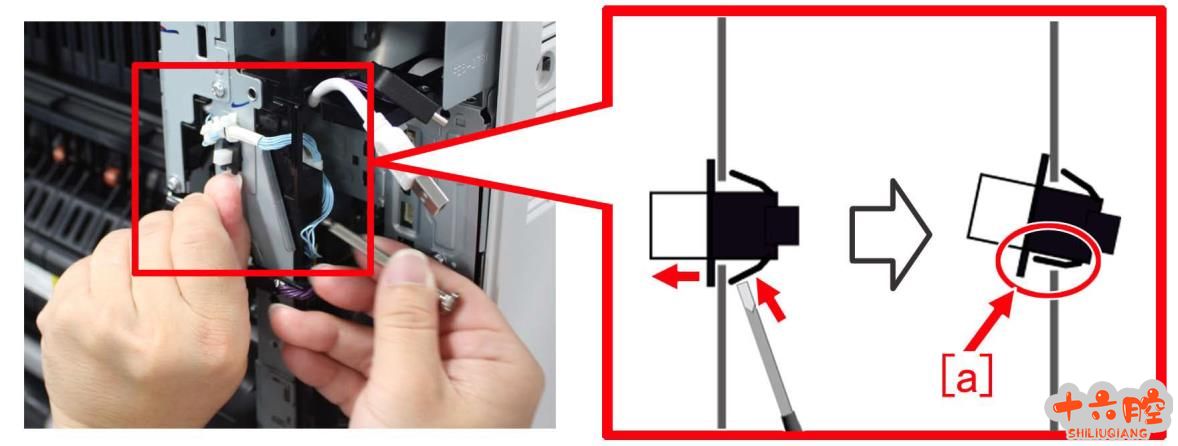
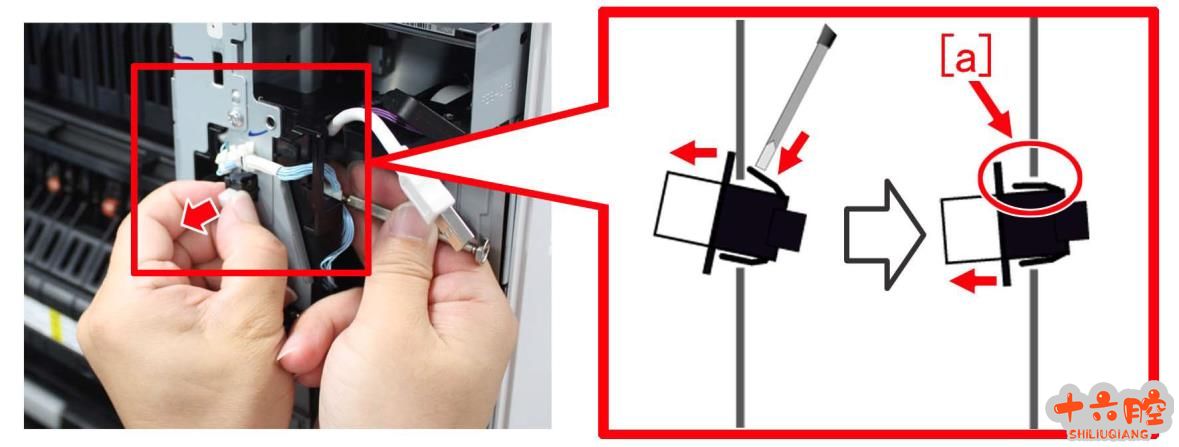
4) Use a Phillips screwdriver to push the lower claw of the switch upwards, so that the claw can be released from the back of the iron plate.
5) While keeping the lower claw released, use a Phillips screwdriver to press down on the upper claw of the push in switch and release it. Then the push in switch can be removed from the front side of the metal plate.
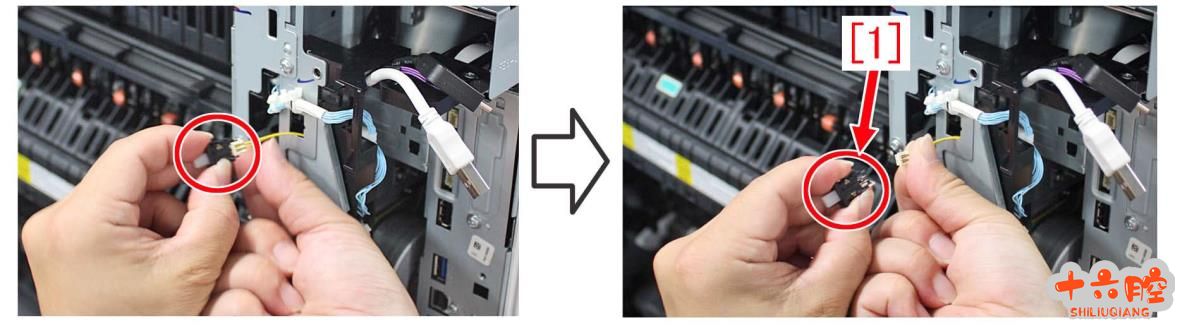
6) Disconnect the connecting wire of the push in switch [1] and replace it with a new type of switch (WC2-5803-000)
7) Reinstall the parts removed from step 5) back into the host in reverse order. |
Address of this article:https://073868.com/post/4838.html
Copyright Notice:
For relevant infringements, reports, complaints and suggestions, please send E-mail:weixiuwang68@qq.com






