Fuji Xerox 7335 7550 7500 6550 Color Copier Chinese Maintenance Manual Maintenance Materials
Visitor2840
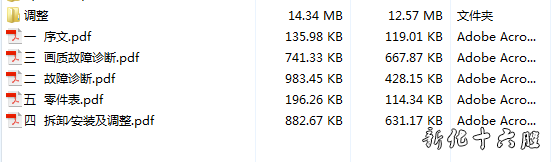
Language: ChineseFormat: PDF electronic version, no encryptionThe manual is comprehensive and richly illustrated, making it an invaluable resource for maintenance technicians. With this repair manual in hand, you’ll no longer have to worry about disassembling this machine or troubleshooting its issues! Even ordinary users can resolve simple malfunctions by referring to the repair manual.
Only specific colors on the image have particularly light areas, which are widely stored along the horizontal direction perpendicular to the processing directionIn there.Output in copy mode and print mode.Remove the connectors of the IIT/IPS PWB and reconnect them correctly. Turn off/on the power and print.Replace the IIT/IPS PWB (PL 13.8) and CCD PWB (PL 13.6) in sequence.Confirm the shape and presence of foreign objects on the surface of IBT.Replace MCU PWB (PL 11.1) and ESS PWB (PL 11.5) in sequence.Confirm the corresponding color DEVE Unit.Confirm the installation of the corresponding color DEVE Unit.Remove the connectors of HVPS-2 and reconnect them correctly. Turn off/on the power and print.Confirm the 2nd BTR CAM structure. If there are no abnormalities, replace the H V PS-2 (PL 11.3), MCU P W B (PL 11.1), and ESS P WB in sequence(PL 11.5)。IQ-12 longitudinal stripe FIPIQ-12 longitudinal stripe FIPBlack lines or specific colored lines appear along the longitudinal direction of the paper.Output in both copy mode and print mode.Confirm the glass panel.Confirm the dirt on the mirror of the rack structure department.Remove the connectors of the IIT/IPS PWB and reconnect them correctly. Turn off/on the power and print.Replace the IIT/IPS PWB (PL 13.8) and CCD PWB (PL 13.6) in sequence.Confirm the 1st BTR of the corresponding color.Confirm 2nd BTR.Remove the DRUM Unit (PL 6.1) of the corresponding color and reinstall it. Turn off/on the power and print.Remove the connectors of ROS Unit CK (PL 5.1) and ROS Unit YM (PL 5.1), and reconnect them correctly. OFF/ON power supply,Print.Replace ROS Unit CK (PL 5.1), ROS Unit YM (PL 5.1), MCU PWB (PL 11.1) in sequenceESS PWB(PL 11.5)。IQ-13 horizontal stripe FIPIQ-13 horizontal stripe FIPBlack lines or specific colored lines appear along the horizontal direction of the paper.Link: https://pan.baidu.com/s/19nKGsiz7uzB4eGZLVDTi7Q
Extraction code: 36fq