
|
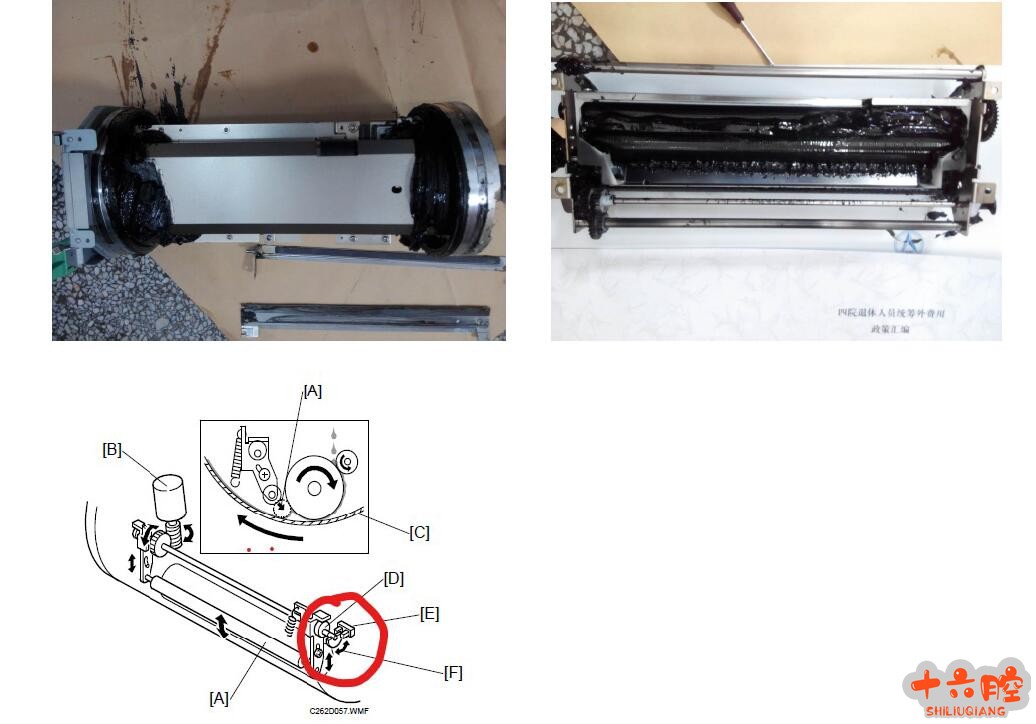
Emerald/HQ9000 shows SC305 fault code, opening the printing cylinder reveals internal ink accumulation, ultimately causing the idle roller in-situ sensor to be covered by ink, resulting in SC code. After cleaning the ink, probes, and limited quantity roller grounding copper sheets inside the printing cylinder and performing ink detection adjustments, the customer was allowed to continue using it. However, the same malfunction occurred again after 400000 sheets.
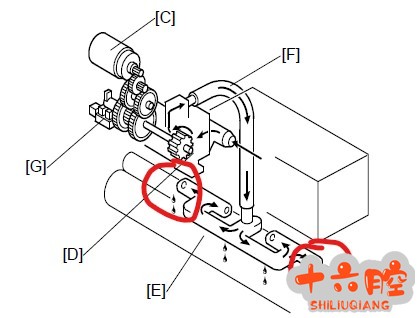
Cause analysis 1. The SC305 fault code is caused by the idle roll in-situ sensor being covered with ink; 2. After cleaning the printing cylinder, check that the printing cylinder circuit is normal (limited roller grounded, probe not grounded); 3. Observation shows that the customer has a very large print volume (around 300000 per month) and there is a large amount of white space on both sides of the paper, resulting in reduced ink consumption and accumulation inside the printing cylinder. Solution Temporarily seal the ink holes on both sides of the four ink holes in the ink replenishment mechanism of the printing cylinder with tape, and let the customer use it for testing first. At present, the customer has used about 700000 sheets after repair and has not experienced the same malfunction.
|
Address of this article:https://073868.com/post/3140.html
Copyright Notice:
For relevant infringements, reports, complaints and suggestions, please send E-mail:weixiuwang68@qq.com
Tags: #305 #9000 #all-in-one machine #In-situ sensor #Ink







