
|
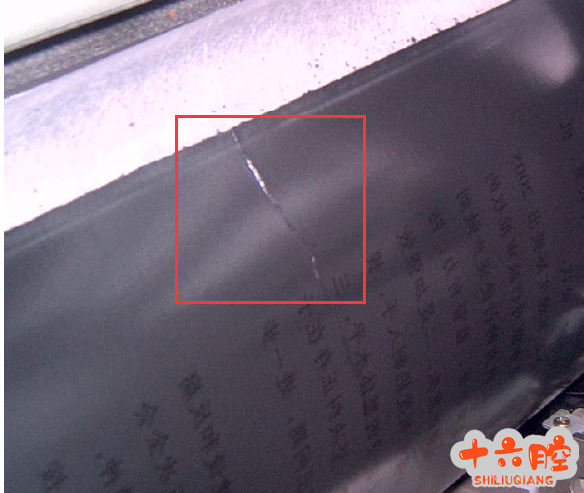
Symptoms After continuously printing 150-200 pages of A3 format print, the user of Jisideye CP6346 found wrinkles in the middle of the end of the plate paper on the printing cylinder. If printing continues, this crease will extend with the printing volume, affecting the image quality of the output print. The creases disappear after the remake, but will reappear after printing on pages 150-200.
Reason The surface of A3 or SRA3 paper used by users is uneven and has many horizontal wrinkles (shrinkage phenomenon that occurs when the paper is stored in a relatively dry environment for a long time and the moisture in the fibers is lost). The rolling action of the pressure cylinder during printing will cause the wrinkles on the surface of the paper to gather in the middle area (due to the high pressure at both ends of the cylinder), and finally release at the end of the paper. The plate paper in close contact with the paper will undergo slight deformation due to the change in surface pressure, and accumulate and increase to form plate paper wrinkles after continuous large-scale printing. Solution When wrinkles appear at the end of the printing paper, immediately replace it with a paper with a flat surface, and after printing 50-100 consecutive copies, the wrinkles will completely disappear. 2. It is recommended that users use paper with a flat surface. |
Address of this article:https://073868.com/post/3118.html
Copyright Notice:
For relevant infringements, reports, complaints and suggestions, please send E-mail:weixiuwang68@qq.com
Tags: #HQ9000 #JP8510 paper #CP6346






