
|
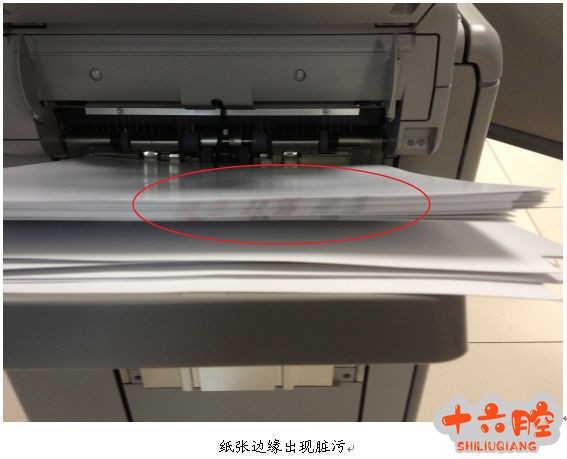
Symptoms When users print paper with a length greater than A3 from 256 to 300g/㎡, they find that there is dirt at the end of the print. When printing paper smaller than 256 g/㎡ or shorter than A3 length, there is no such dirt phenomenon normally. Reason
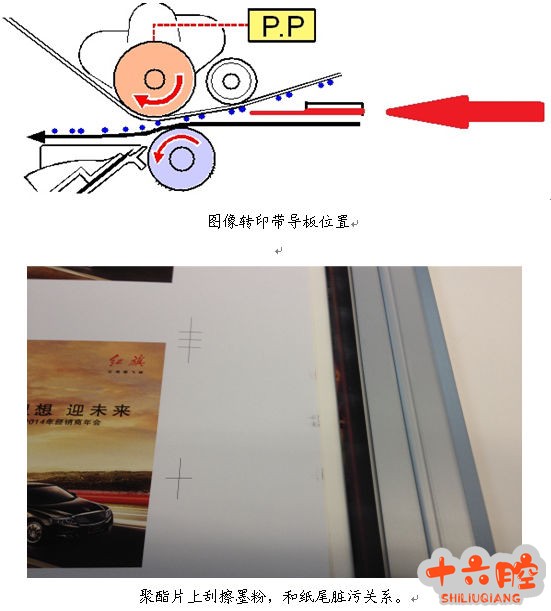
The polyester sheet on the image transfer belt (ITB) guide plate has slight deformation, and thicker and longer paper will be squeezed here when passing through, Causing the polyester sheet to curl up and touch the toner image area on the image transfer, contaminating the edges of the paper.
Solution
|
Address of this article:https://073868.com/post/2980.html
Copyright Notice:
For relevant infringements, reports, complaints and suggestions, please send E-mail:weixiuwang68@qq.com
Tags: #Dirt #ITB #Transfer belt #c651 #C751







