
|
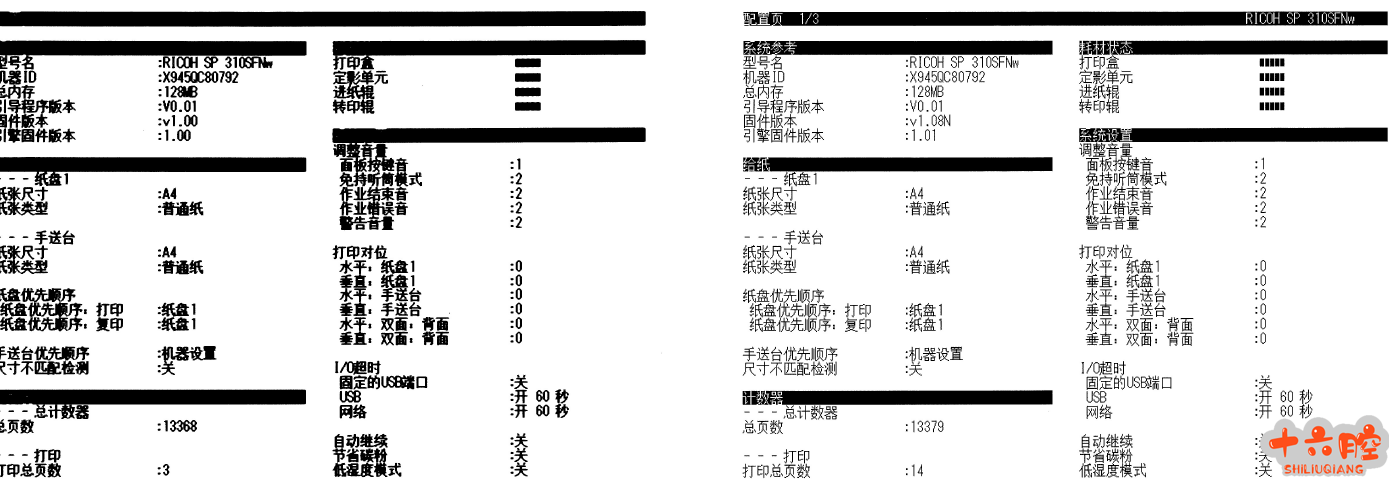
SP310 /310DN、310SF、310SFNw Symptoms A SP310FNw machine experiences blurry copies and printed copies after using 13368 pages. (Print test page fault sample image 1 and normal sample image 2).
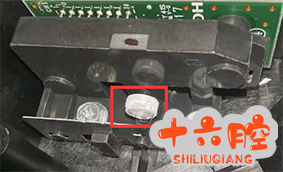
Maintenance process 1) After copying and printing for 13000, the user reported that the font density of the copied and printed text had become darker, causing some fonts to become blurry. The user continued to experience the problem after reinstalling the driver and replacing the computer for printing testing. 2) The engineer went to the user's site to replace the new toner cartridge and tested the fault, but it still persists. 3) According to the analysis of the test page samples printed on site by the engineer, the blurry font in some parts of the samples may be a cleaning issue with the LD unit. 4) By disassembling the laser unit of the machine and inspecting the various mirrors inside the unit, it was found that there were obvious white crystals on the front and back surfaces of the LD's collimating lens (see figure below). It was preliminarily judged that the fault was caused by the user's humid environment. After cleaning the collimating lens on site, the fault was eliminated!
Note The use of color powder by users may cause changes in the density of the copy image and blur due to moisture. The problem with this machine is that the internal optical components of the laser unit are affected by moisture caused by the user's usage environment. |
Address of this article:https://073868.com/post/2932.html
Copyright Notice:
For relevant infringements, reports, complaints and suggestions, please send E-mail:weixiuwang68@qq.com
Tags: #310 #Blurred #Laser #LD unit #Toner cartridge







