
|
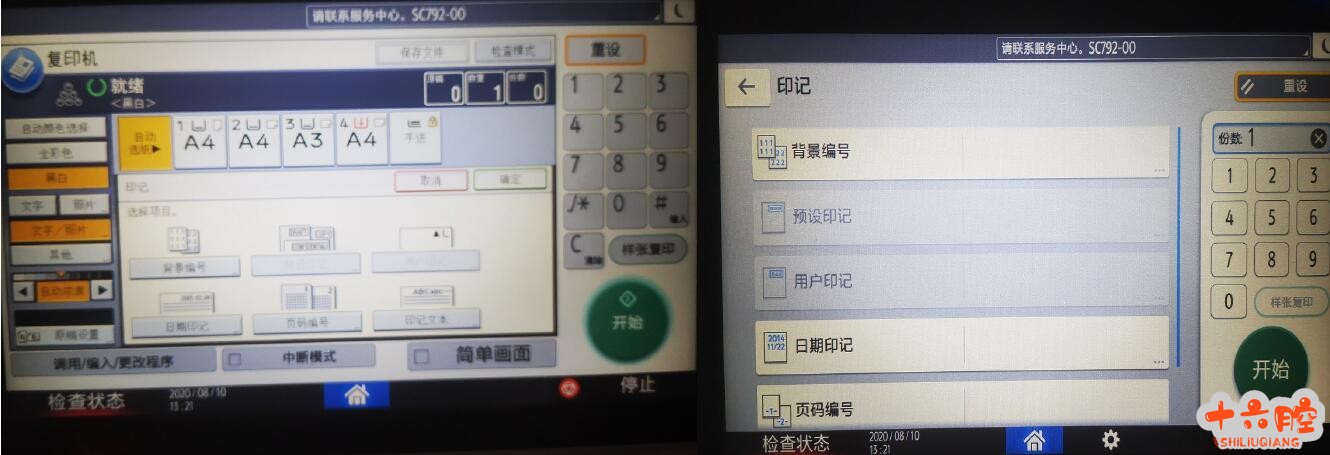
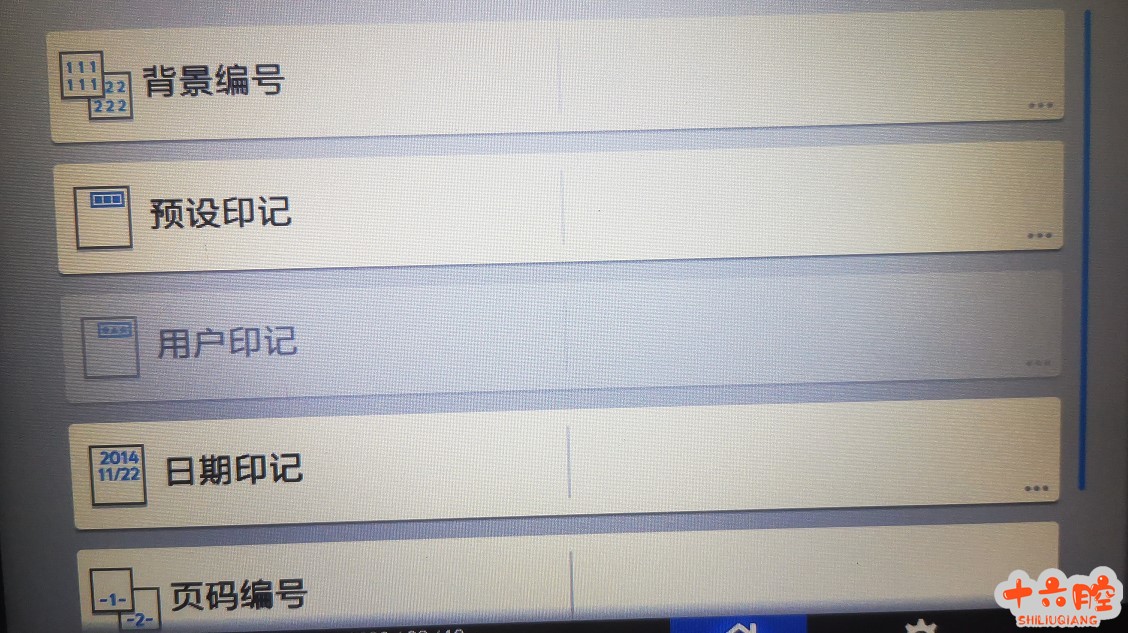
In the traditional copying interface and intelligent copying application interface of IMC3500, the preset watermark icon turns gray and cannot be used.
Analysis reasons: Considering that the previously preset watermark function could be used, but suddenly it cannot be used, the possible reason is that the machine's settings have been changed. Measures: 1. Search for settings in the user tools, but there are no pre-set switch settings for watermark applications. 2. Check the relevant code for SP mode, 5-853-1 "Imprint Data Download", but there is not much explanation. Further search for the explanation of the code and find the relevant explanation in the replacement and adjustment (see attached figure) to clarify the generation The application of the code and preset watermark is directly related. To verify with CE that the user's machine has just replaced the hard drive, it is confirmed that the inability to use the preset watermark is likely caused by the replacement of the hard drive and the failure to download the preset imprint to the hard drive
Solution: Execute 5-853-1 'Imprint Data Download', the 'Preset Watermark' icon returns to normal and can be selected for troubleshooting.
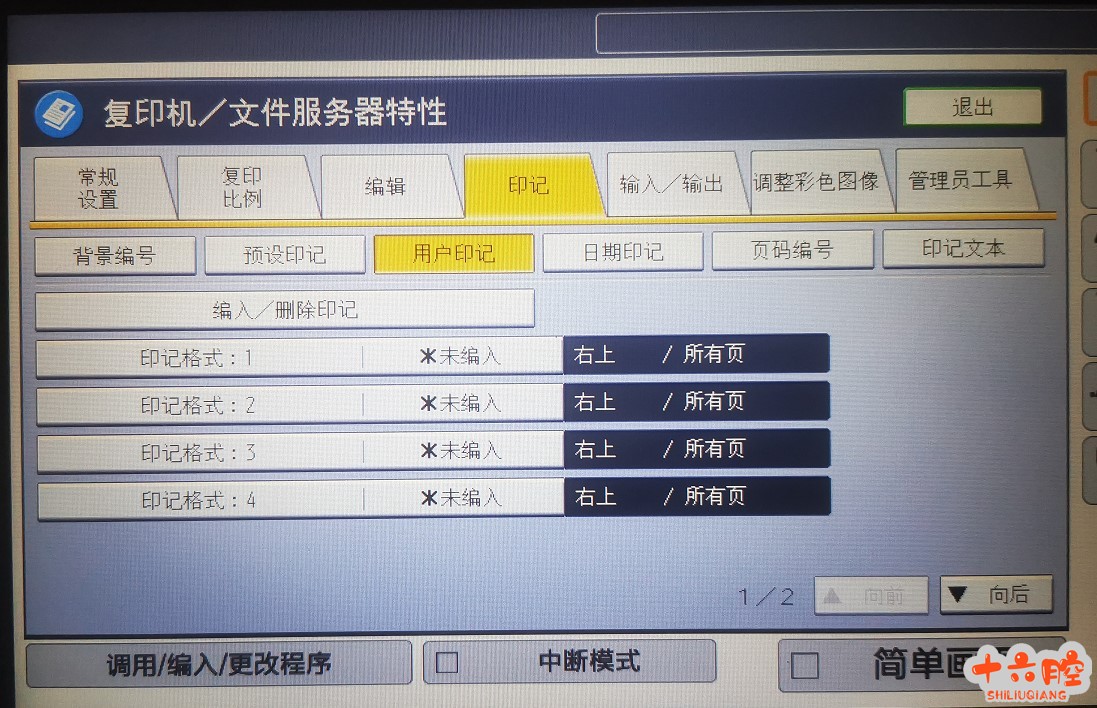
In addition, the reason why the "user imprint" in the above picture is virtual is that it needs to be registered and included in the user tool machine characteristics copier/file server characteristics imprint user imprint before it can be used.
After being imprinted, the icon becomes available in solid color. |

Address of this article:https://073868.com/post/2918.html
Copyright Notice:
For relevant infringements, reports, complaints and suggestions, please send E-mail:weixiuwang68@qq.com







