
|
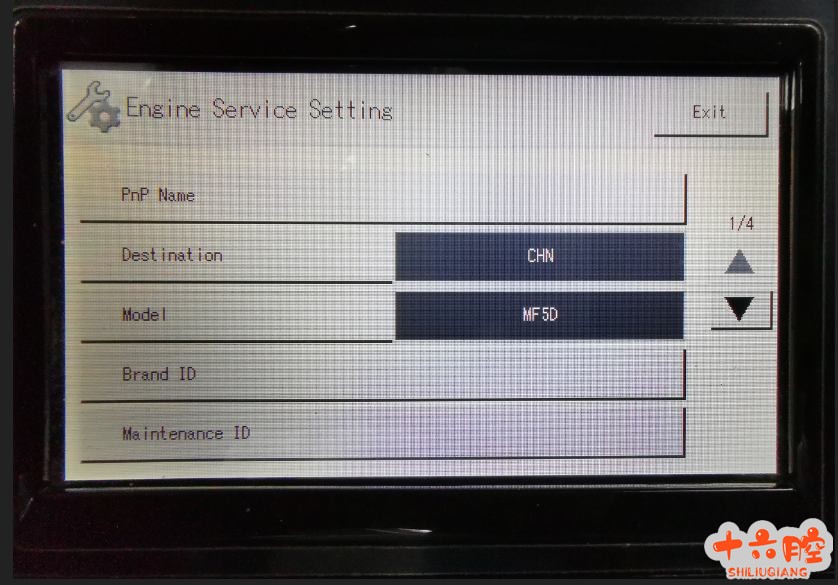
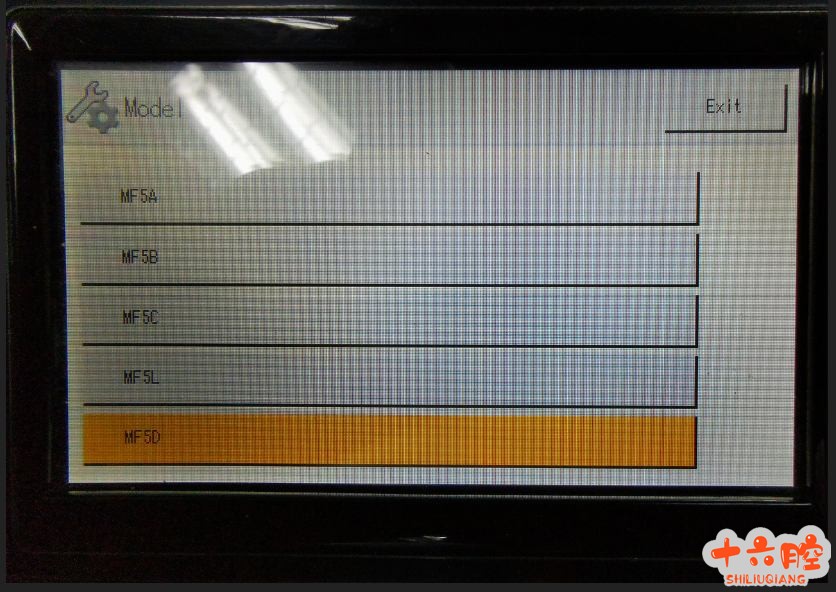
Symptoms I don't recognize replacing black powder with new powder after using it up Reason 1. Powder box chip issue 2. Chip detection of contact board issues 3. Motherboard issues 4. Mainboard chip issues Measures 1. Replace with another new powder box, but the fault persists; 2. Replace the chip detection board, but the fault persists; 3. Replace the motherboard, but the fault persists; 4. Replace the motherboard chip and solve the problem. The fault issue was locked to the motherboard chip, and it was later discovered that the model name of the faulty chip was incorrect as MF5C, while it was normal as MF5D. The model name was changed to MF5D, and the problem was resolved. Solution Enter maintenance mode and change the model name to MF5D to solve the problem
|
Address of this article:https://073868.com/post/2884.html
Copyright Notice:
For relevant infringements, reports, complaints and suggestions, please send E-mail:weixiuwang68@qq.com
Tags: #261 #Toner cartridge #Black






