
|
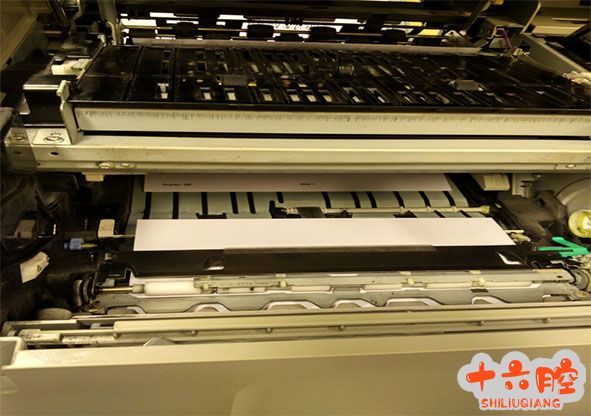
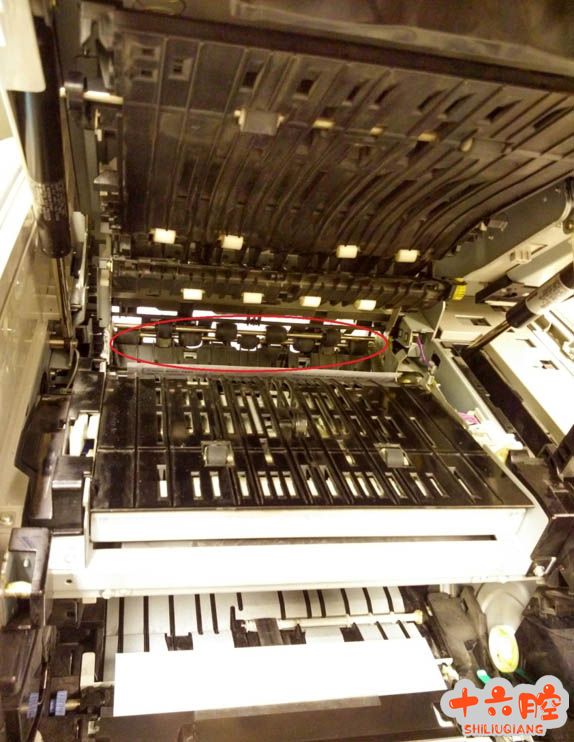
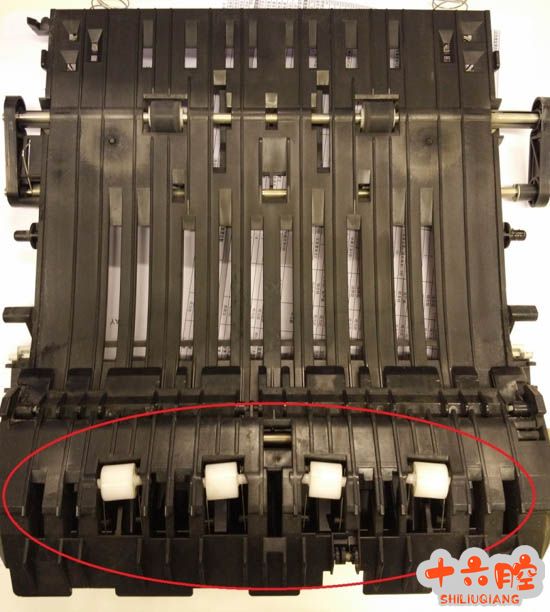
Machine malfunction symptoms: The machine can print a single sheet or two sheets normally, but when printing three or more sheets, an error occurs at 13.0A.00 due to paper slot jam and 13.20.00 due to paper jam inside the top cover. The position of the cardboard is shown in the following figure.
Exclusion process: 1. Enter management - troubleshooting - manual sensor testing, test that all sensors are normal. 2. The low failure rate of paper box printing may be related to the slow speed of paper box movement. 2. The sensor malfunction related to cleaning still persists. 3. Later, it was found that there was toner stuck on the paper path of the output and flipping unit, which felt rough when touched by hand. 4. So after cleaning the paper path, the machine returned to normal.
Repair experience: When repairing a machine, it is necessary to troubleshoot step by step in an orderly manner. During the troubleshooting process, it is essential to test it manually. Simply observing without taking action is not enough to identify the root cause of the problem. |
Address of this article:https://073868.com/post/2821.html
Copyright Notice:
For relevant infringements, reports, complaints and suggestions, please send E-mail:weixiuwang68@qq.com







