
|
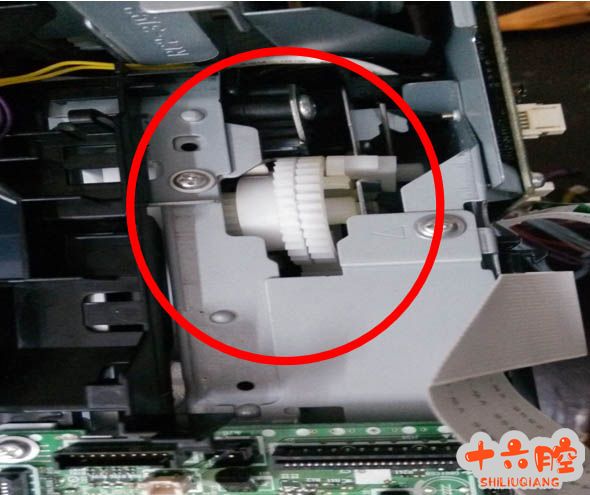
HP LaserJet Pro 300 Color Printer M351 Series Fault phenomenon: The machine starts up and reports 59.C0, which is generally related to gear set components. Next, I will explain the key points to check for 59.C0. First of all, the printer needs to observe whether the clutch on the gear set on the right side of the printer is normal. In the red circle as shown below:
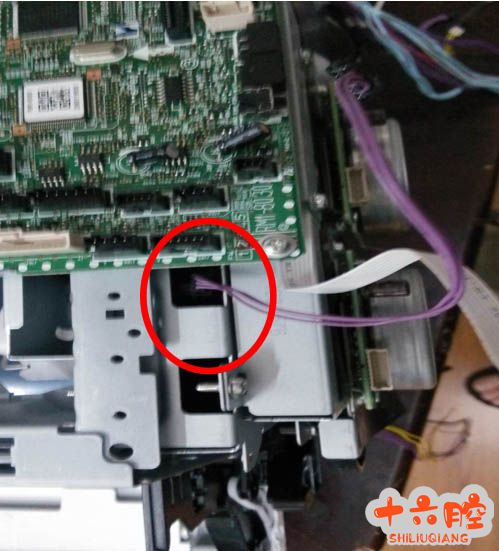
The part facing the front of the DC board will have a self-checking action when it is turned on. At this time, the clutch will have three clutch actions, so first you need to check whether this relay has normal clutch. Secondly, if the gear set can clutch normally, check whether there is a sensor facing the lower right of the DC board is normal? As shown below:
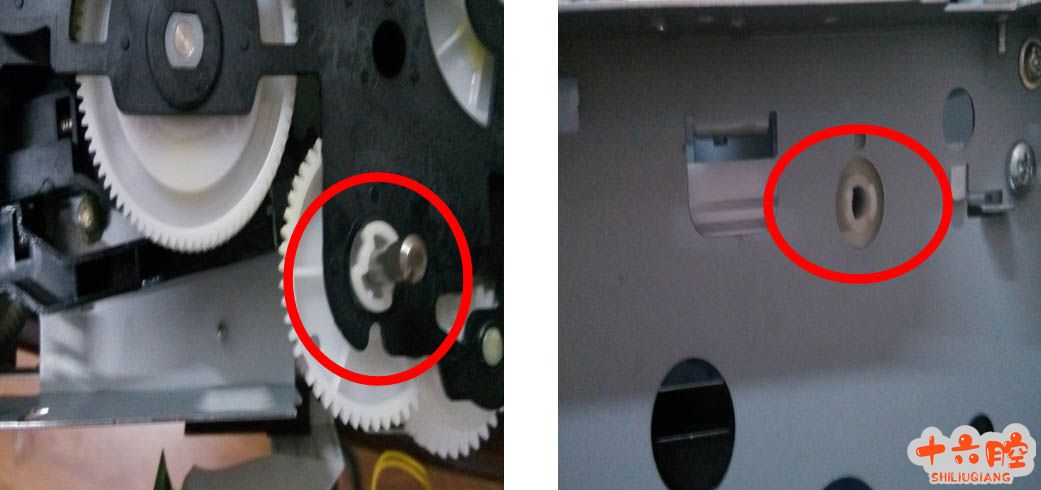
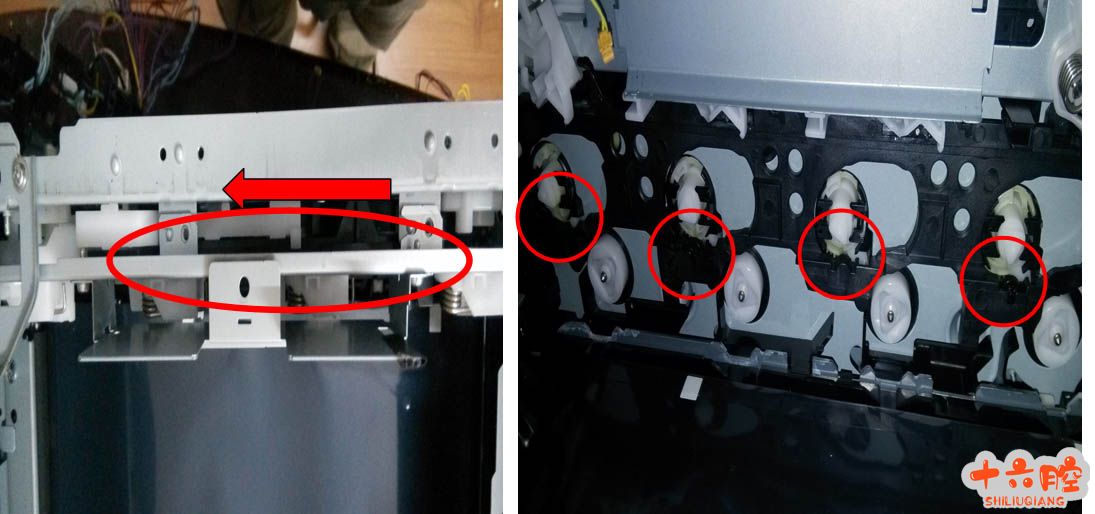
The function of this sensor is to sense whether the drum gear set is operating normally. [kkpay=8]If the machine finds a blank print after installing the gear set, the cause of the problem is: the gear set is not installed in place. Gear set installation note: When installing, it is necessary to pay attention to the gear above the iron bolt above the gear set and the gear above the rack need to correspond. As shown in the figure
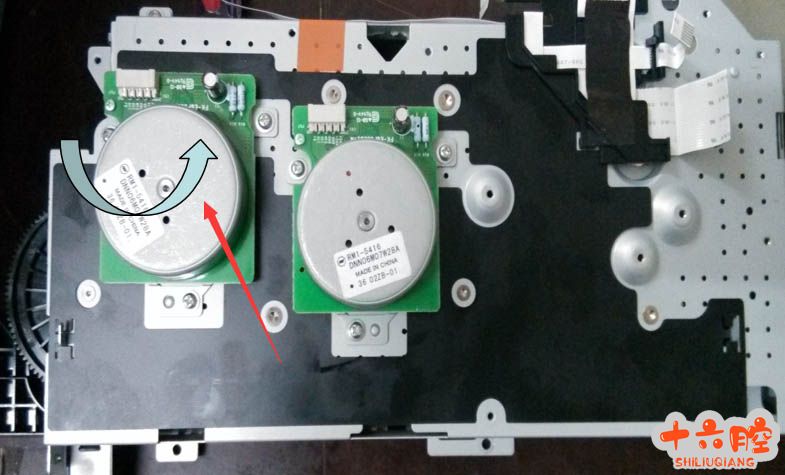
How to check whether the gear set is in place? Use the first motor on the left of the manual rotation motor to rotate counterclockwise, and observe two points: whether the black rod at the top of the gear set can drive the forward and backward movement (this step is the most critical). If it cannot rotate, the possible reason is that the gear set is not engaged with the machine and needs to be reinstalled. Check whether the developing wheel of the gear set rotates at the same time. Please see the image:
Link: https://pan.baidu.com/s/1sq8iXWdPTgdVpzrV8Qt9JA Extraction code: d66t [/kkpay] After being installed in place, the gear set should fit tightly without any uneven feeling. |
Address of this article:https://073868.com/post/2811.html
Copyright Notice:
For relevant infringements, reports, complaints and suggestions, please send E-mail:weixiuwang68@qq.com
Tags: #M351 #M300 #Gear Set Assembly #Drum gear set







