
|
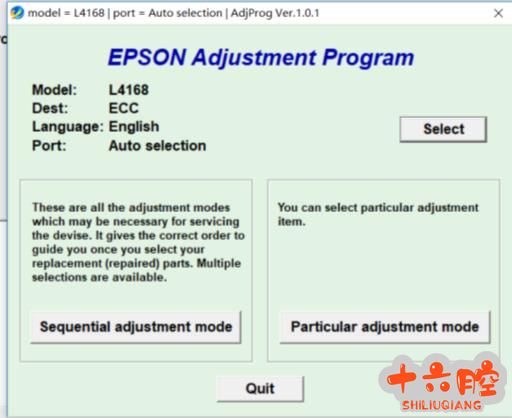
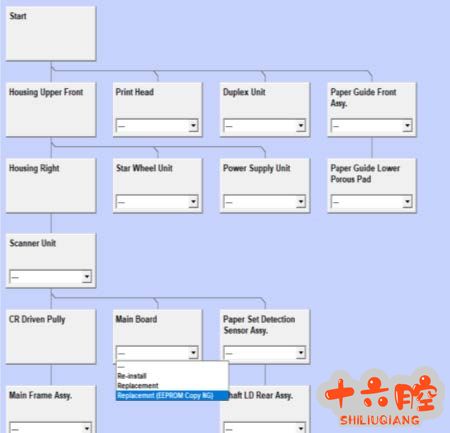
Phenomenon: When turned on, the printer mode is displayed and no other operations can be performed Repair steps: 1. Rewrite EEPROM data (i.e. adjust the motherboard) Operation: Refer to the sequence diagram below (omit some images of the adjustment program, simply follow the prompts to gradually execute each item of the adjustment program)
2. Upgrade the firmware program to the latest version Method A: Driver MaintenanceSoftware Update Method B: Download the latest firmware program and install it directly. Note: For printers that do not report "printer mode", it is also necessary to upgrade the firmware program to the latest version. |
Address of this article:https://073868.com/post/2719.html
Copyright Notice:
For relevant infringements, reports, complaints and suggestions, please send E-mail:weixiuwang68@qq.com
Tags: #printer mode #L4168 #Mainboard adjustment #EEPROM







