
|
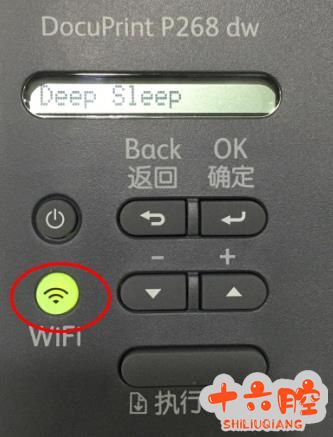
DocuPrint P228/268, M226/268 wireless connection setup method WPS One Click Wireless Connection - Method Method 1: If the router has a WPS button, you can use the WPS button to set it up One click WPS wireless connection requires first selecting the WPS (WiFi Protection Settings) button on the access point (router), and then pressing the WPS button on the printer to successfully connect to the network. Press the WPS button on the router and printer respectively within 2 minutes (taking DocuPrint P268 dw and DocuPrint M268dw as examples below) Taking DocuPrint P268dw as an example:
Link: https://pan.baidu.com/s/125UWVNiJZilUfPdSNhJqVg Extraction code: mgn2 |
Address of this article:https://073868.com/post/2670.html
Copyright Notice:
For relevant infringements, reports, complaints and suggestions, please send E-mail:weixiuwang68@qq.com
Tags: #M268 #M228 #P228 #Wireless connection #WPS







