
|
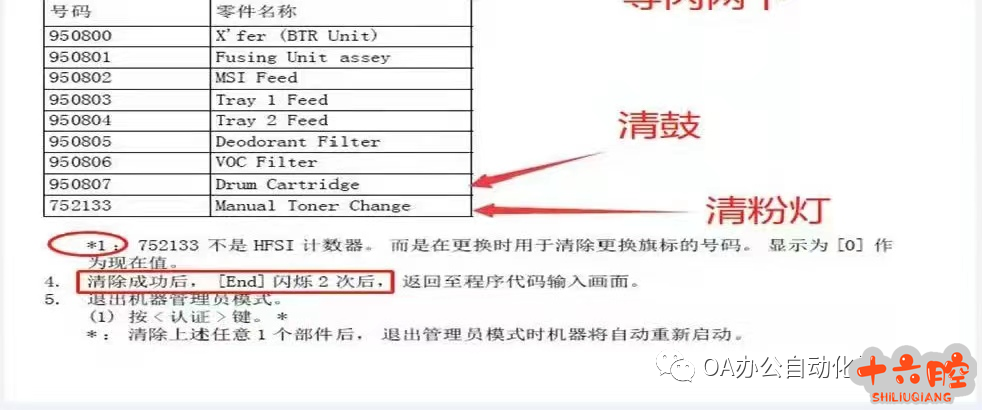
Fujifilm 2150N,2350NDA machine code J4 fault analysis Solution Steps 1, enter the machine manager mode (1) Long press the "Authentication" key for more than 5s, enter the password: "11111", and then press the "Start" key 2. Enter (8000), press the "Start" key to enter the maintenance mode 3. Enter the corresponding part number, press the "Start" key,(CLr) will flash, continue to press the "Start" key to clear the count.
|
Address of this article:https://073868.com/post/2633.html
Copyright Notice:
For relevant infringements, reports, complaints and suggestions, please send E-mail:weixiuwang68@qq.com







