
|
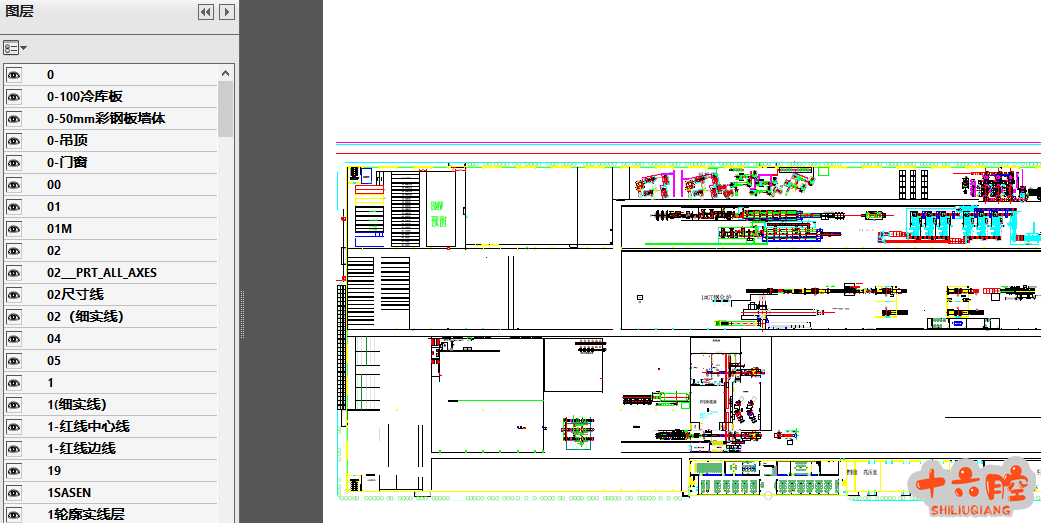
The files exported by CAD or PDF files exported by CAD are slow to print. <机型> Regardless of model <故障现象> Printing CAD directly or exporting PDF through Konicaminolta's C308 PS driver has slow printing speed. <故障原因> CAD drawings have a large number of layers and are slow to process.I found many layers when opening the file in CAD
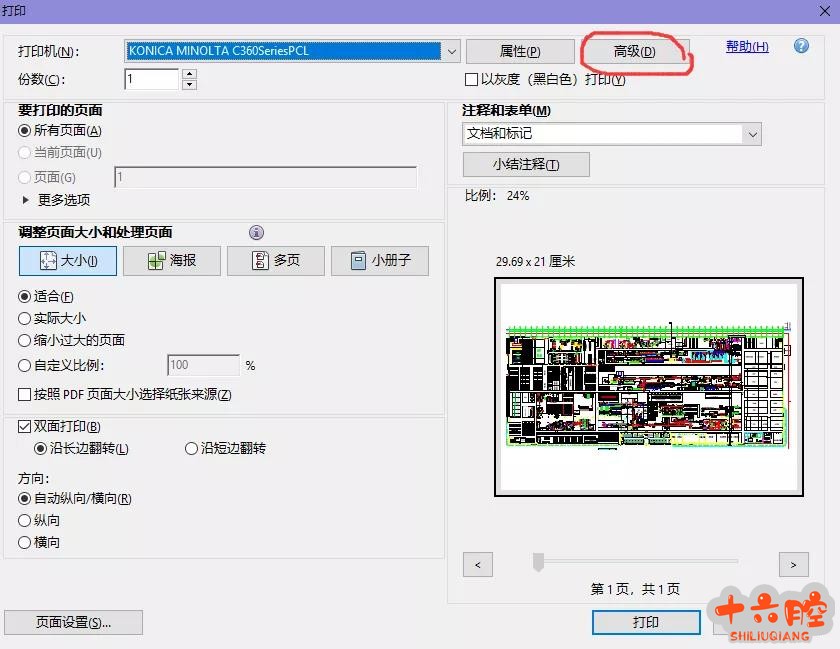
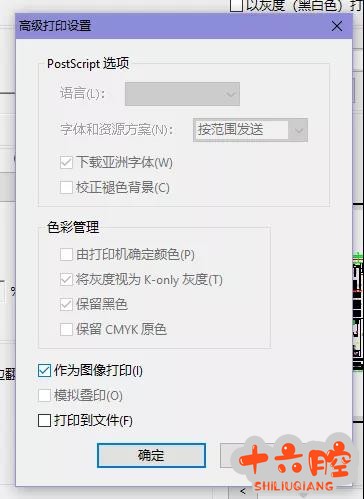
<处理方法>1. Change the output method, click on the "Advanced" tab in the PDF printing interface, and select "Print as Image" in the advanced printing settings.
2. It is recommended to merge multiple layers of images into one layer.3. It is recommended to save as another format, such as TIFF.
|
Address of this article:https://073868.com/post/2603.html
Copyright Notice:
For relevant infringements, reports, complaints and suggestions, please send E-mail:weixiuwang68@qq.com
Tags: #Ke Mei #cad #Printing Slow







