
|
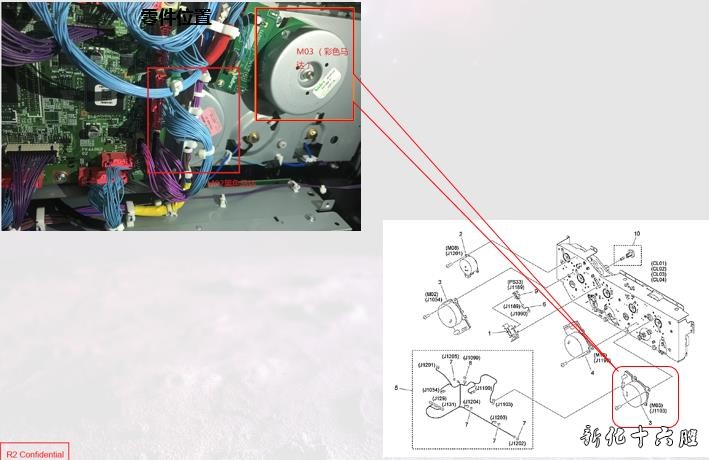
imageRUNNER ADVANCE C3020 [Failure Phenomenon] Error E012-0003 when printing black and white copy Restarting the host power supply, unplugging the toner cartridge, upgrading the firmware from v2.19 to v2.23, reinstalling M02, M 150.00g motors and connecting wires can be temporarily repaired. [Cause of Failure] Color drum motor error. Change M03 color drum motor (FK4-0800-000 MOTOR, DC BRUSHLESS) to a C3520 machine and still report the wrong E012-0003; Confirm that the motor is damaged
[Maintenance measures] Replace M03 motor (FK4-0800-000 MOTOR, DC BRUSHLESS). |
Address of this article:https://073868.com/post/2593.html
Copyright Notice:
For relevant infringements, reports, complaints and suggestions, please send E-mail:weixiuwang68@qq.com







