
|
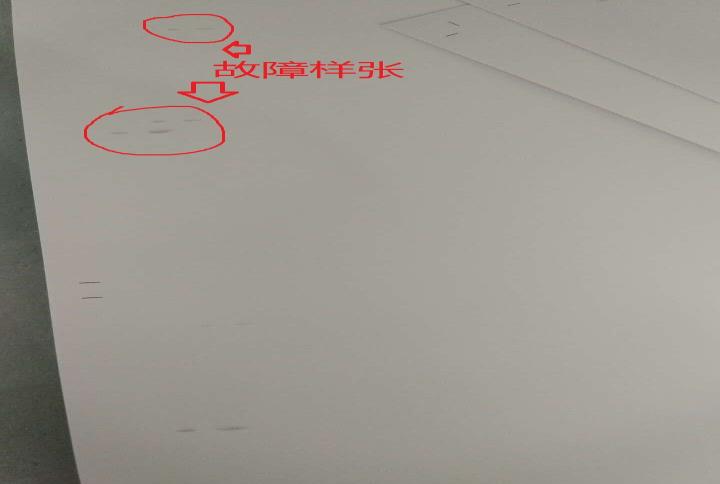
Ke Mei C1085 White Random Black Dot
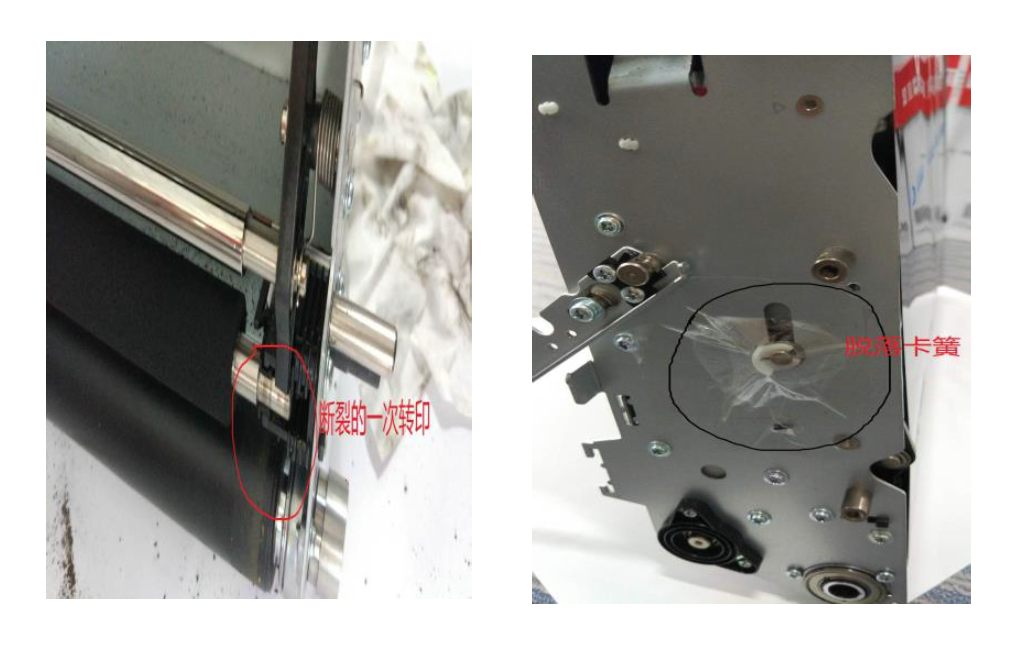
Fault Description: There are random small dots in the white area of the printed copy, which are irregular and periodic Cause of the failure: The plastic snap spring on the right side of the transfer belt fell off, causing wear on the first black transfer roller. Solution: 1. When disassembling the intermediate transfer belt, be careful not to let the plastic snap spring fall off. To prevent the snap spring from falling off, seal the plastic snap spring with adhesive tape. 2. If the plastic snap spring has fallen off, please be sure to check if the first transfer black transfer roller is worn? Is the black first transfer printing charging dock broken? If any abnormalities are found, please replace them in a timely manner.
|
Address of this article:https://073868.com/post/2536.html
Copyright Notice:
For relevant infringements, reports, complaints and suggestions, please send E-mail:weixiuwang68@qq.com







