
|
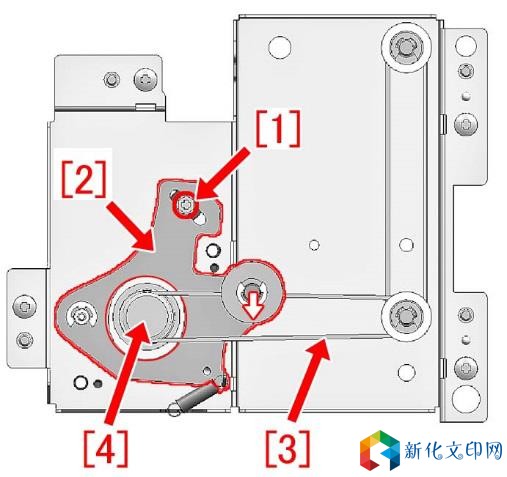
Product Model: iR-ADV C7580 iR-ADV C7570 [Details] Due to some structural changes in the new type of vertical paper path drive component 2 (FM0-1445-010), it may cause loosening of the drive belt [3] and insufficient meshing with the gear [4], and may also lead to disengagement from the gear. Therefore, when replacing the drive motor in the new type of vertical paper path drive component, it is necessary to adjust the tension progress of the belt tensioner [2], 2 (FM0-1445-010).
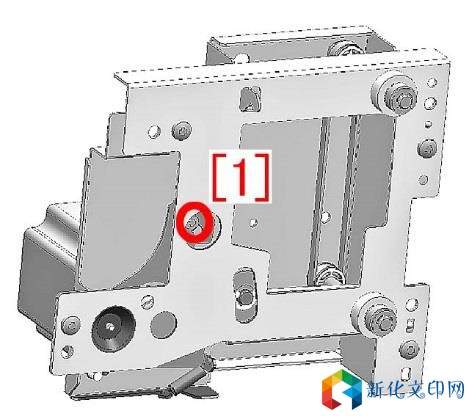
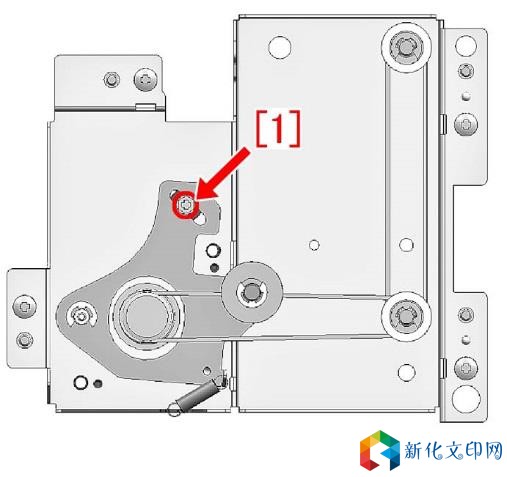
[Maintenance measures] For the following list of factory countermeasures, equipment with serial numbers and beyond, or equipment that has been replaced with a new type of vertical paper path drive component 2 (FM0-1445-010), the tensioning progress of the belt tensioner needs to be adjusted according to the operation steps mentioned below. The following describes the operational steps required after replacing the DC stepper motor. 1) Loosen the screws on the vertical paper path drive component 2 [1].
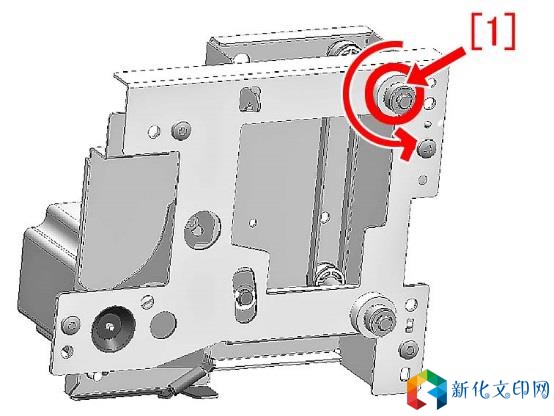
2) Rotate the 16T gear [1] two times counterclockwise by hand.
In this situation, check and confirm that all gears and drive belts can mesh well and rotate smoothly.
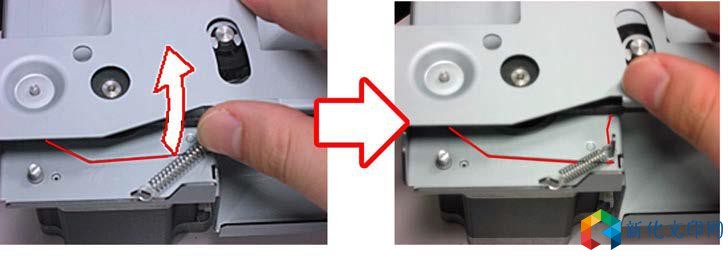
3) Push the tensioner base to the top of the limit slot with your fingers at the hook position of the spring as shown in the figure below, and then release your fingers. 4) Check if the tensioner base can automatically return to its original position. 5) Tighten the screws loosened in step 1) and secure the tensioner base. |
Address of this article:https://073868.com/post/2521.html
Copyright Notice:
For relevant infringements, reports, complaints and suggestions, please send E-mail:weixiuwang68@qq.com







