
|
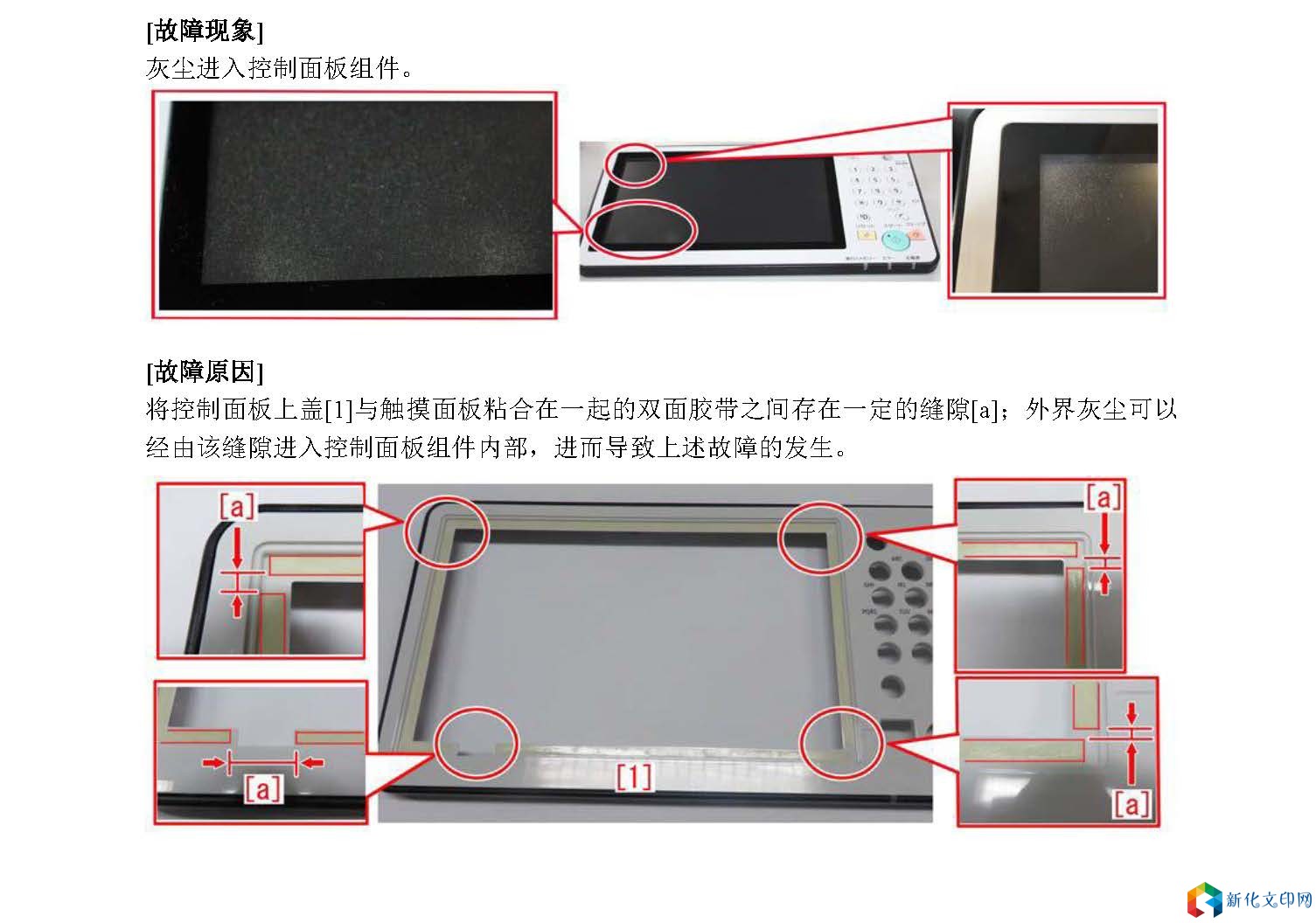
Countermeasures for preventing external dust from entering the control panel assembly Product Model: iR-ADV C5535 iR-ADV C5540 iR-ADV C5550 iR-ADV C5560 [Cause of Failure] There is a certain gap [a] between the double-sided adhesive tape that bonds the control panel upper cover [1] and the touch panel together; external dust can enter the control panel assembly through the gap, thereby causing the above failure.
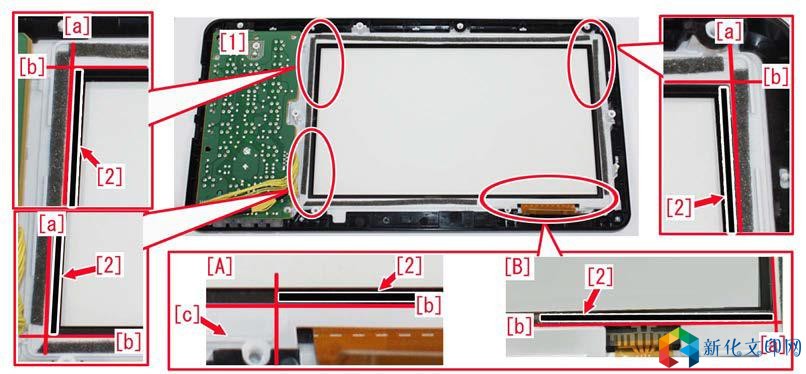
3) Cover the back of the unit [1] on the control panel with the inner edge of the control panel cover [a] andFor reference, attach the sealing pieces [2] to four positions. Depending on the type of control panel, the reference information on the installation position of the sealing sheet varies. Therefore, please take care to use the sealing plate installation position reference information that matches the type of control panel used. [A] Capacitor type control panel: useThe position and the position within [c] /- 0.5mm of the edge of the rib are used as a reference to attach the sealing sheet. [B] Resistance type control panel: Use [a] andThe position is used as a reference to attach the sealing sheet. After the sealing sheet is stuck in place, check and confirm whether the sealing sheet is loose or peeled off.
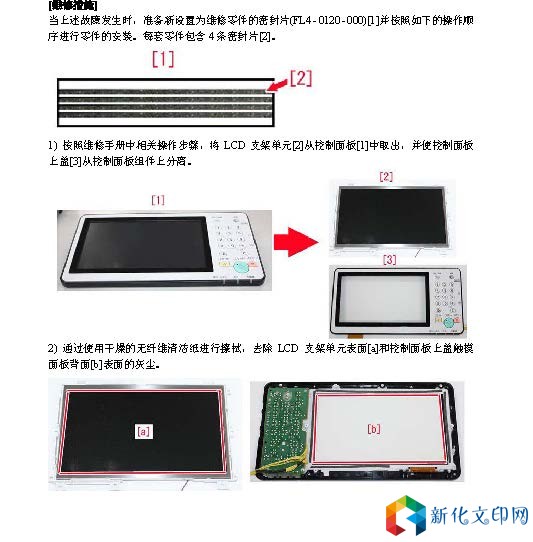
4) Reinstall the parts removed from step 1) in the reverse order. |
Address of this article:https://073868.com/post/2498.html
Copyright Notice:
For relevant infringements, reports, complaints and suggestions, please send E-mail:weixiuwang68@qq.com







