
|
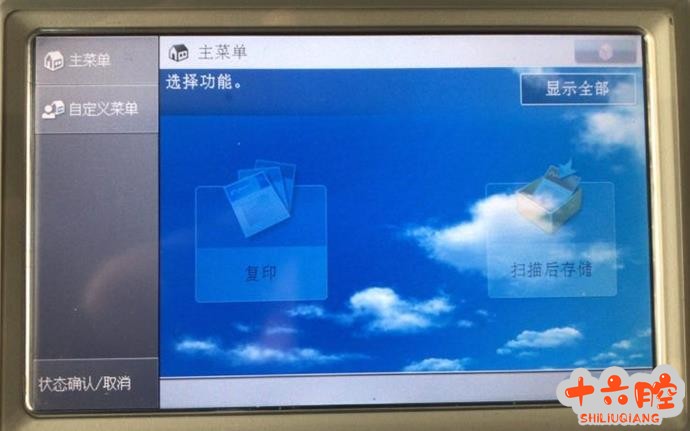
Canon C2025, C2030, C2225 machines are equipped with Smart Control, which starts when turned on; After entering the main menu, the icon is gray (as shown below) and cannot be used.
[Cause of Failure] Suspect system error. [Maintenance measures] 1) After replacing the normal main control board 1 with another machine, perform hard disk formatting and MEAP program formatting on the 2+8 startup. 2) After replacing the main control board 1 of the original machine, perform a system firmware upgrade; Then reinstall SC. 3) The machine has returned to normal. |
Address of this article:https://073868.com/post/2448.html
Copyright Notice:
For relevant infringements, reports, complaints and suggestions, please send E-mail:weixiuwang68@qq.com
Tags: #C2225 #C2025 #C2030 #Canon #Smart Control







