
|
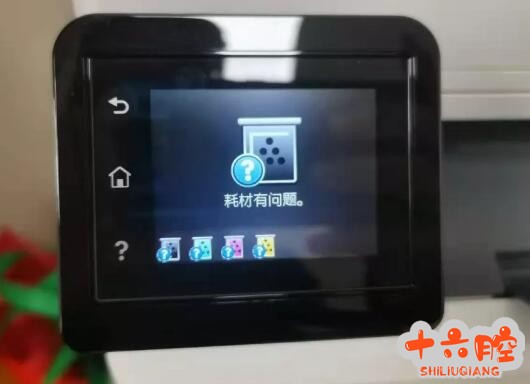
After upgrading the firmware, the HP color laser machine can no longer recognize the toner cartridge, but it used to recognize it and the toner cartridge is compatible.
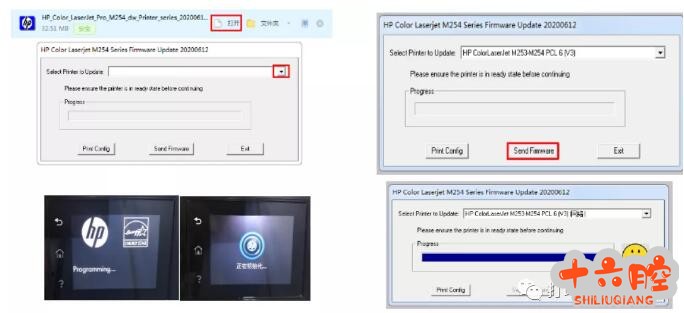
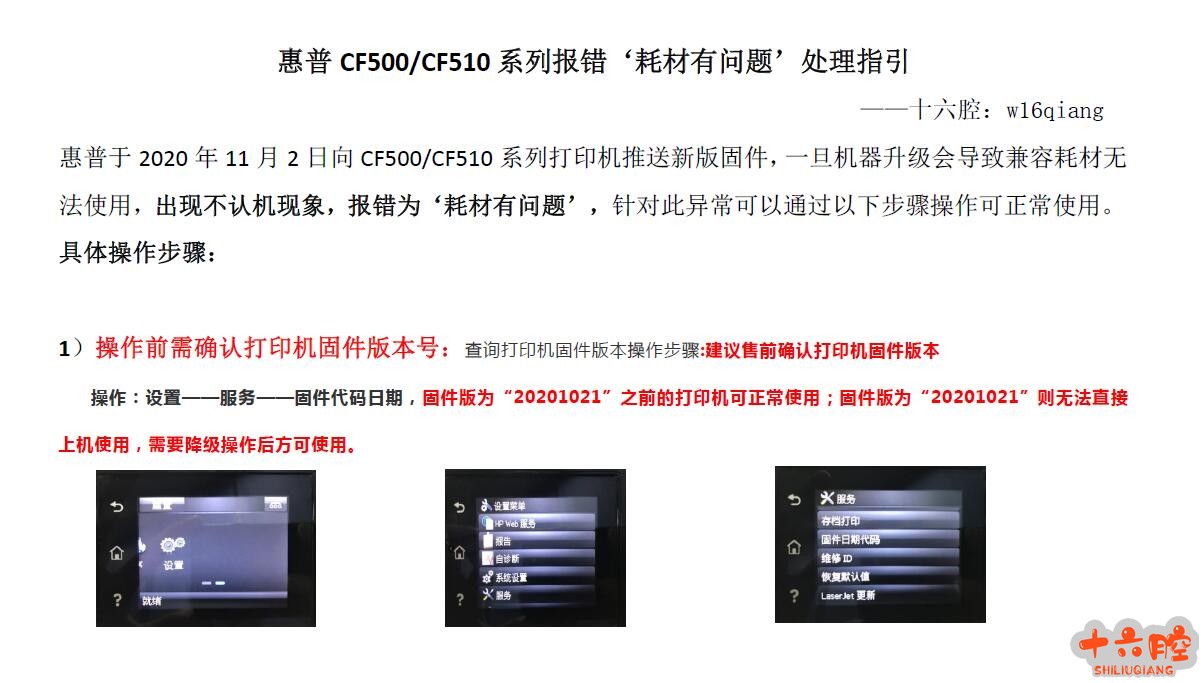
This is because HP's latest firmware version 20201021 has added a verification mechanism. When it recognizes that the toner cartridge is not original, it locks the device directly and refuses to use it. This is also HP's solution to crack down on compatible toner cartridges. However, original toner cartridges are too expensive and few mines cannot afford to play them. What should we do? There are policies at the top and countermeasures at the bottom. Today, Print Jun will teach you how to downgrade your printer, and you can continue to use it after downgrading. Firstly, download the firmware of the printer model 20200612(Print the firmware of commonly used models and place it at the bottom of the article. Scroll down to view it)Select the printer with the driver installed on the computer as shown in the figure, click "Send firmware" to start sending to the printer, and wait for the printer to downgrade before exiting.
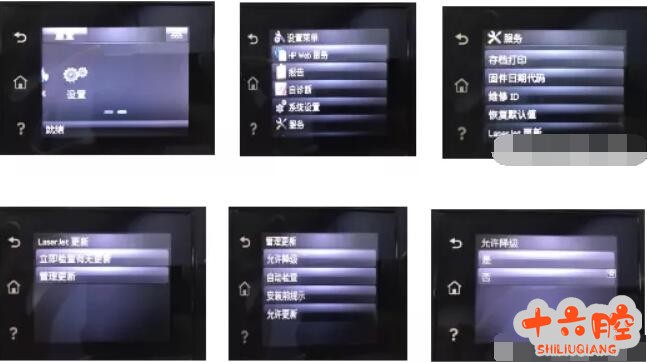
Attention! Printers with LCD screens need to have the 'Allow downgrade' button turned on in advance, otherwise the downgrade cannot be successful. As shown in the figure below:
|
Address of this article:https://073868.com/post/2117.html
Copyright Notice:
For relevant infringements, reports, complaints and suggestions, please send E-mail:weixiuwang68@qq.com






