
|
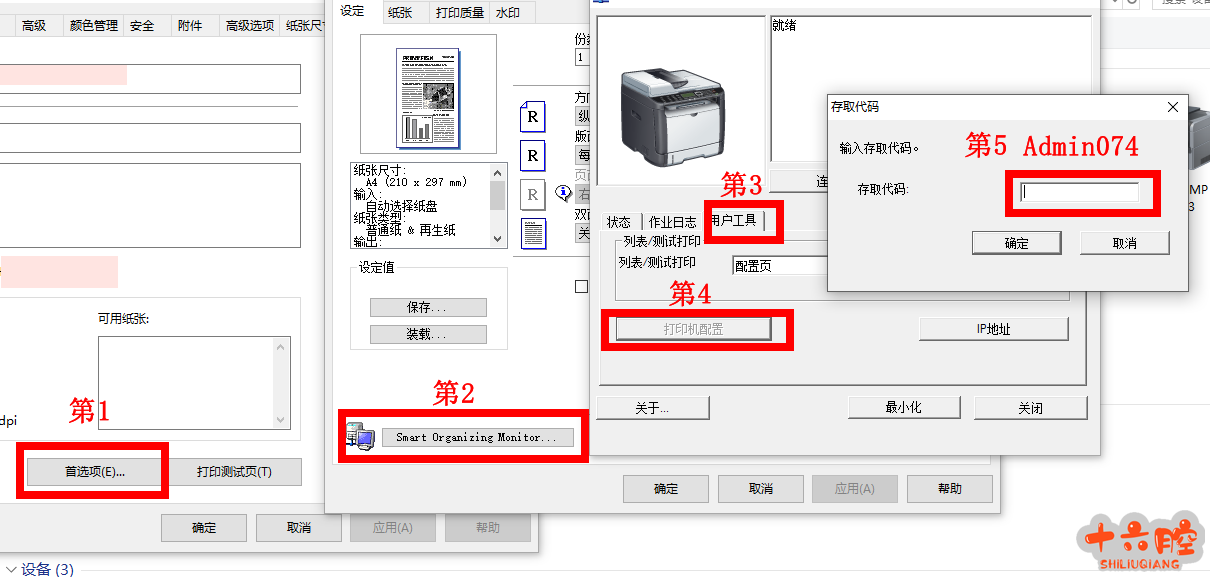
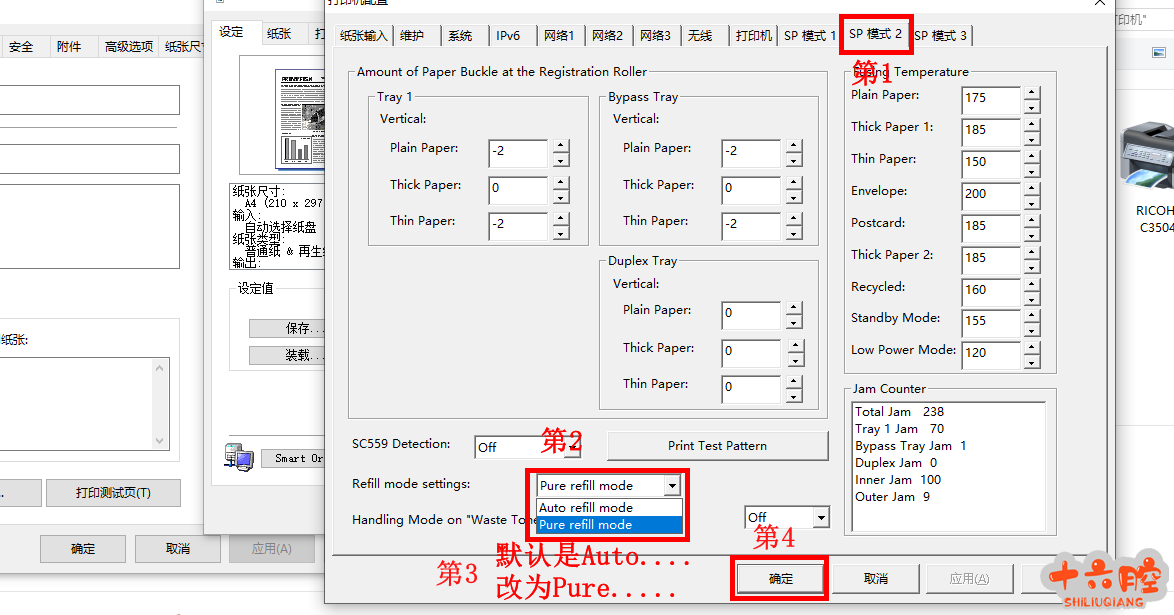
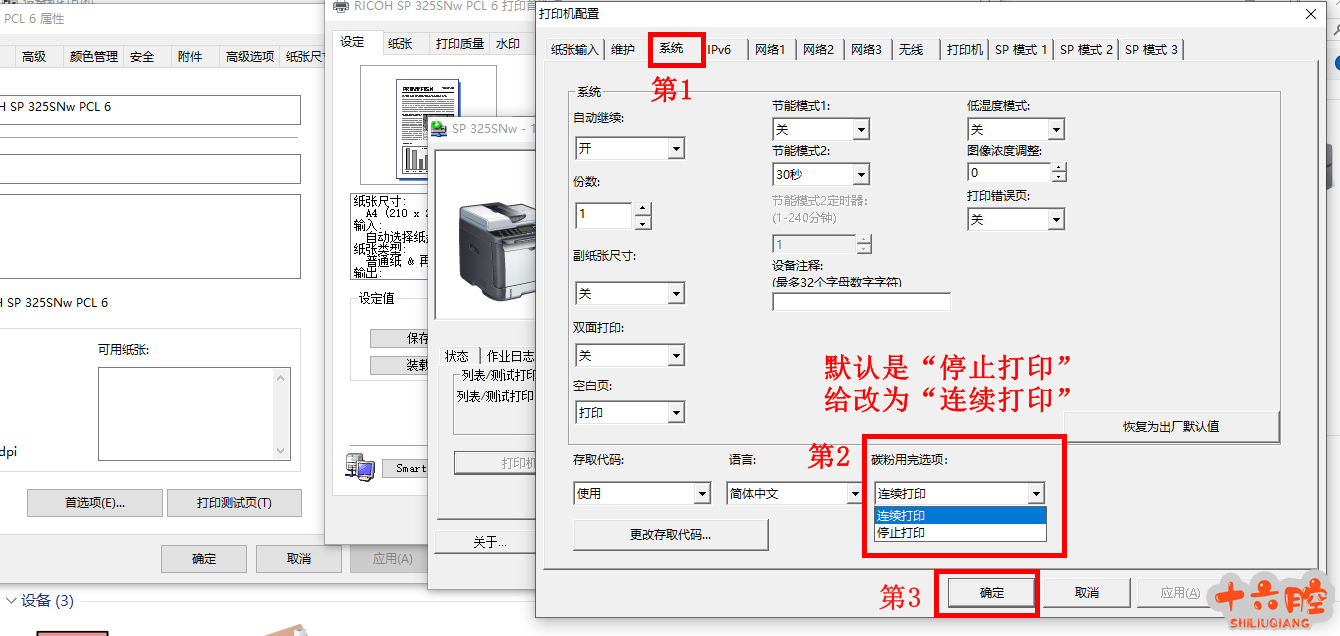
SP_310SFN_310SFNw_312SNw_310SFNwV_313SFNwV_320SN_320SFN_325SNw_323SFNw The steps for setting up Ricoh 310/320/325 series three in one and four in one machines without changing chips after powder addition are as follows: press the stop 107 start button in sequence to enter maintenance mode, press the button twice to select Engine Maintenance, click the OK button to enter, press the up button to select the Refill mode option and then click the OK button, press the button to select Pure Refill mode and then click the OK button (default is Auto Refill mode), then press the back button twice and press the power button to restart the machine. After restarting, click on the user tool key, press the key four times to select system settings, then click the OK key, press the key three times to select the option to run out of toner, then click the OK key, press the up key to continue printing, and then press the back key twice to exit before normal use. The modification method for the single printing machine is shown in the attached figure.
|
Address of this article:https://073868.com/post/201.html
Copyright Notice:
For relevant infringements, reports, complaints and suggestions, please send E-mail:weixiuwang68@qq.com







