
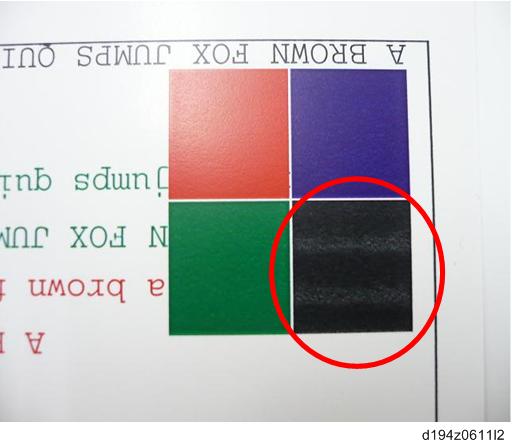
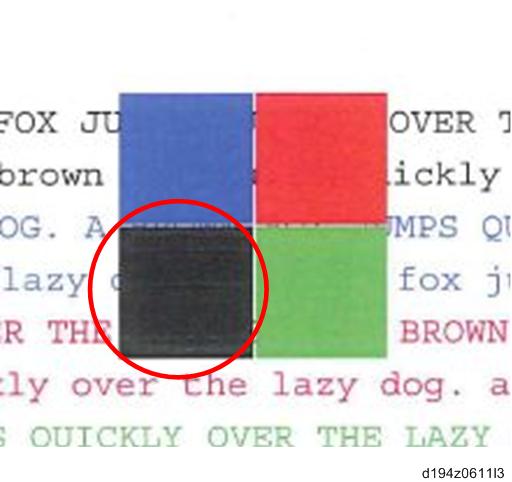
Printing black image area in full-color mode resulted in unexpected images.
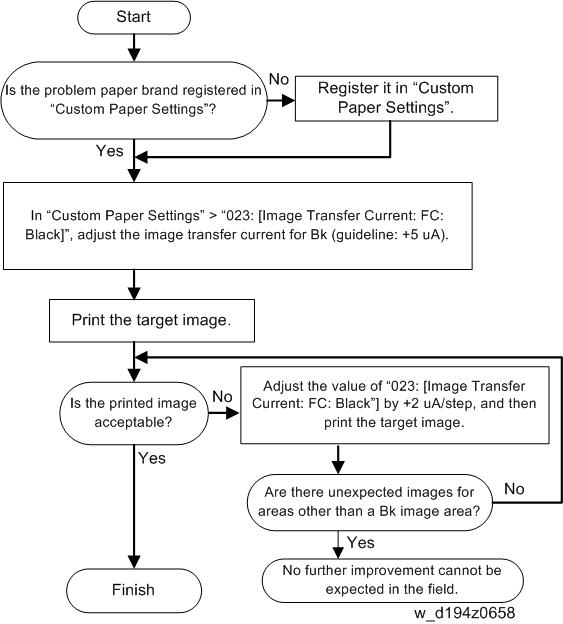
ReasonThe transfer bias of full-color mode paper is higher than that of black and white mode, and the low charging of black toner results in a low transfer rate. If the main scanning direction text line is close to the edge of the black solid image, the density of the black solid image will be lower. Solution 1Increase black image transfer current in full-color mode
Solution 2Print black and white images in four color mode
|
Address of this article:https://073868.com/post/167.html
Copyright Notice:
For relevant infringements, reports, complaints and suggestions, please send E-mail:weixiuwang68@qq.com
Tags: #Black image #White stripes #C7110 #c7100






