
|
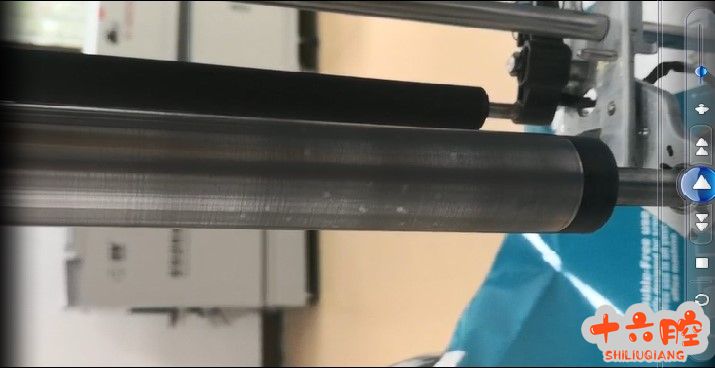
Symptoms: MPC8003 printing, there are black stripes and irregular black dots on the back side of the printing machine, with a spacing of about 78MM between the black dots Analysis reasons: After replacing the new PCDU, there are still black spots. After replacing the black PCDU, the black strip disappears, but the black spots still exist. By printing the CMY three color test page with 2109, there are the same black spots, indicating that this is caused by a four-color shared component. The black spots have a spacing of about 78 millimeters, which is equivalent to a roller diameter of about 25MM, and it is suspected to be related to a certain roller. Measures: 1. Check the fixing, fixing belt and pressure roller surfaces for any signs of damage or residual color powder. 2. Check the paper transfer component, the transfer belt is not damaged or dirty, and the rollers in the paper transfer component are also normal. 3. Check the surface of the image transfer unit belt for smoothness and no signs of damage or aging. Disassemble the components and find that the left support roller surface is dirty and has white oxidation spots on the roller surface. The shape and distribution of the spots are basically consistent with the black spots on the printed product, and the diameter of the roller is about 25 millimeters. After cleaning and testing the roller, the black spots disappeared.
Solution: After cleaning and processing the image transfer belt support roller, troubleshoot the issue. Judging, the transfer belt support roller also has a grounding discharge effect. The dirt and oxidation of the support roller affect the release of residual charges on the image transfer belt, resulting in incomplete cleaning and the adsorption of carbon powder when passing through the black PCDU. |
Address of this article:https://073868.com/post/1275.html
Copyright Notice:
For relevant infringements, reports, complaints and suggestions, please send E-mail:weixiuwang68@qq.com
Tags: #C8003 #C6503 #PCDU #Fixing belt







