
|
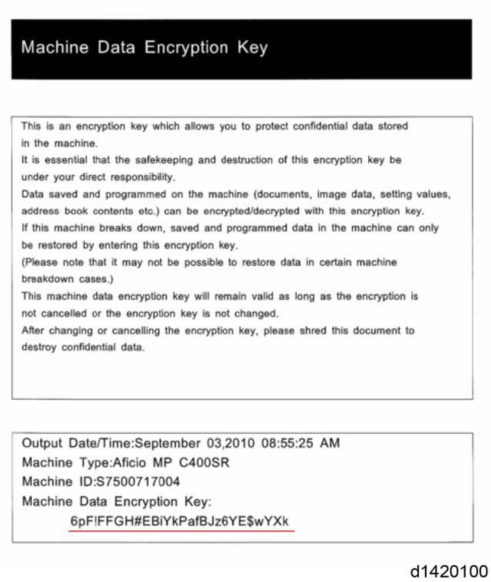
Symptoms The customer IMC3000 encountered an error message when replacing the controller board and was unable to enter maintenance mode. Reason The machine device settings have enabled HDD encryption function, and the encryption key needs to be restored. Solution 1、 If there is an encryption key backup (set to enable HDD encryption and print information pages for saving or SD card backup)
1. Prepare the SD card and format it in FAT16 format. 2. Create a folder on the SD card using a computer and name it "restore_key". 3. Create a folder in the "restore_key" folder and name it with the machine's serial number "xxxxxxxxxxx" (11 digits). 4. Create a text named "key_xxxxxxxxxxx (here is the backup key). txt" in the folder named after the machine serial number. 5. Turn off the SD card that has been formatted as/store_key/xxxxxxxxxx (machine serial number)/key_xxxxxxxxxxx (key). txt and insert it into slot 2 of the controller board. 6. Turn on the main power of the machine, and the machine will automatically restore the encryption key to the flash memory on the controller board. When the machine returns to normal, turn off the main power and remove the SD card. 2、 If there is no key backup to enforce startup. After forced startup, the HDD will be formatted. Delete encrypted data. • Clear user settings. 1. Create a directory named "restore_key" in the root directory of the SD card. Then, save the 'nvram_key. txt' file with the following name:/restave_key/nvram_key. txt 2. Create a text file and write it in 'nvclear'. 3. Shut down and insert the SD card into slot 2. 4. Turn on the main power of the machine and automatically clear the HDD encryption. When the machine returns to normal, turn off the main power and remove the SD card. 6. After starting up and executing SP5801-003, clear the memory (be careful not to clear all SP5801-OO1 and 002 engines), and then clear SP5-846-046: Address Book. |
Address of this article:https://073868.com/post/1272.html
Copyright Notice:
For relevant infringements, reports, complaints and suggestions, please send E-mail:weixiuwang68@qq.com
Tags: #Controller board #C3000 #HDD encryption #hard disk







