
|
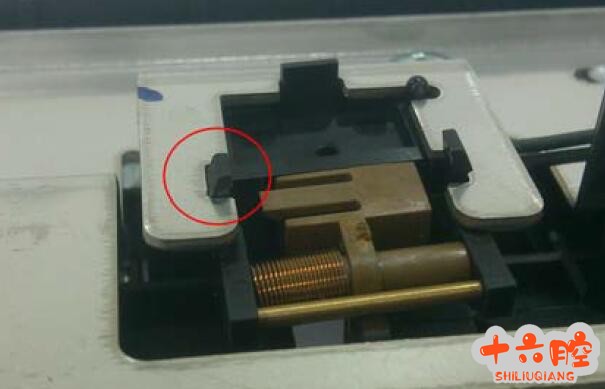
Symptoms When copying or printing A4 and A5 paper, fixing paper jam often occurs. The paper jam is between the fixing roller and the paper cooling unit. The paper jam code J021, J071, etc. is sometimes normal. Check the fixing paper discharge sensor and the paper cooling pipe paper discharge sensor, no abnormality is found, and it is normal after replacing the spare fixing unit. Reason Carefully check the fixing unit of the original machine and find that the fixing paper output sensor foot has fallen off from the fixing frame, causing the sensor to fail to trigger normally. It may be due to the impact of the sensor contact rod when taking the paper jam, causing the feet to wear and fall off easily.
Solution Replace the fuser exit sensor. Instruct the operator on site not to touch the sensor contact rod when taking out the paper jam. |
Address of this article:https://073868.com/post/1269.html
Copyright Notice:
For relevant infringements, reports, complaints and suggestions, please send E-mail:weixiuwang68@qq.com







