
|
Symptoms: The machine has no display on the startup screen and no action. Reason: Poor power board; Poor motherboard and control board; Poor wiring harness of power switch Maintenance process: 1. Due to the lack of display on the screen and the removal of the rear cover, it was found that the indicator lights on the motherboard and control board were not on. A multimeter was used to check that all fuses on the power board were normal. However, when measuring the DC output of the power board, it was found that there was only 5V voltage output and no other voltage output, suspecting that the power board was faulty. Replace the power board for testing, the fault persists; 2. Considering that the indicator lights on the motherboard and control board are not on, we replaced them one by one, but the fault still persists; 3. Suspecting a wiring problem in this situation, the wiring harness was checked one by one, and it was found that the power switch wiring harness was faulty. The power switch wiring harness was replaced, the fault was resolved, and the machine was tested and found to be normal.
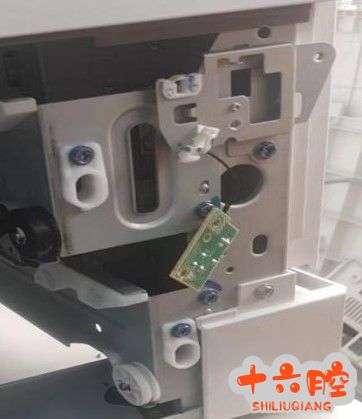
As shown in the figure: Solution: Replace the power switch harness, troubleshoot, and test run normally. |
Address of this article:https://073868.com/post/1201.html
Copyright Notice:
For relevant infringements, reports, complaints and suggestions, please send E-mail:weixiuwang68@qq.com
Tags: #C2001 #No display #Power board #Control panel #power switch







