
|
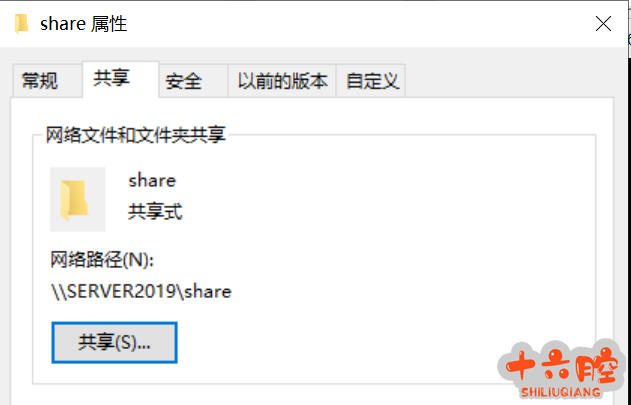
Symptoms MFP is set to scan to folder, but after scanning, it shows that the file failed to send. Maintenance process 1. The operating system of the client file server is server2019, and check that the sharing settings have been normally enabled;
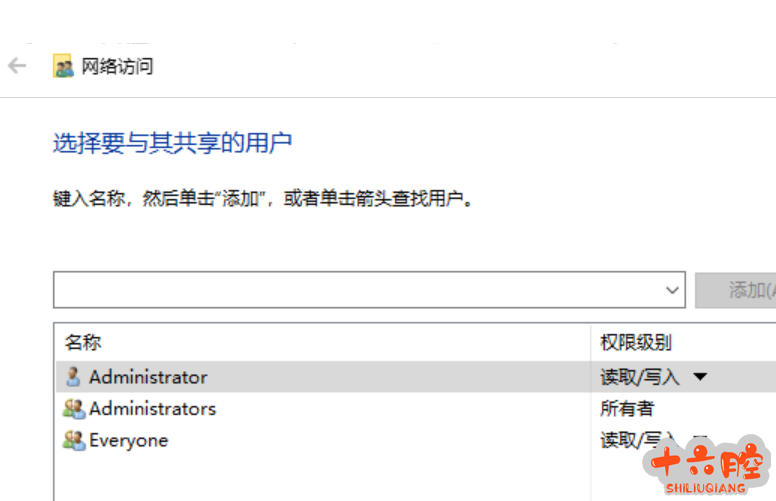
2. Check that the user's authority is normal;
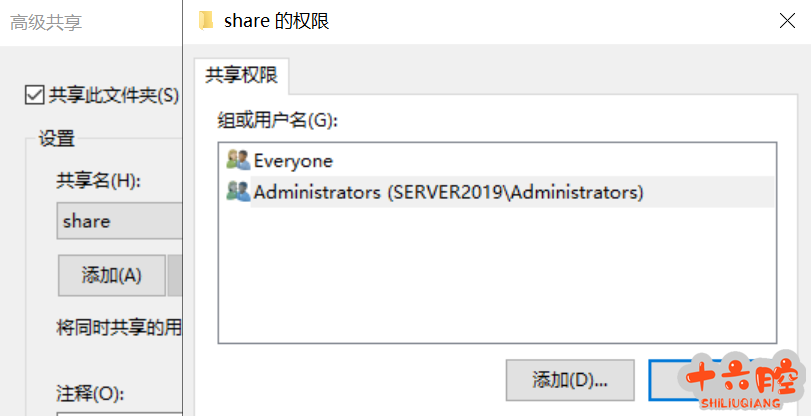
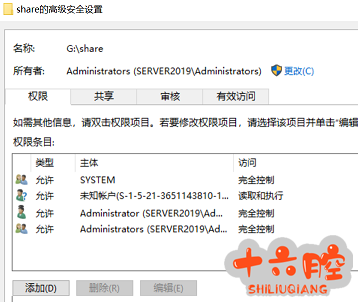
Check that the advanced sharing permission is normal;
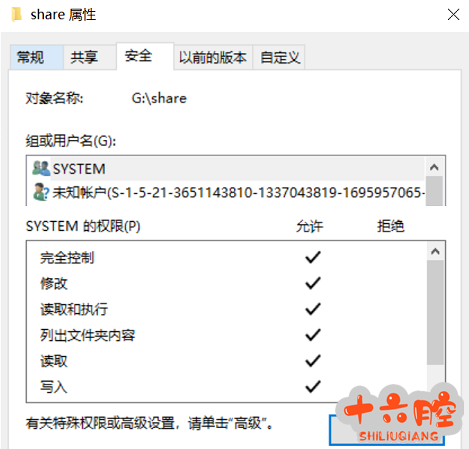
3. In addition to sharing rights, the server version of the operating system also requires the user to have the right to access the folder. The scanning is normal after setting according to the following figure; Open the properties of the shared folder, select "Security", and then click "Advanced" in the lower right corner ";
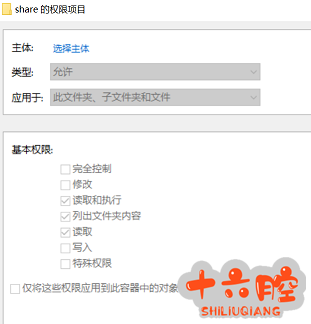
Click Add;
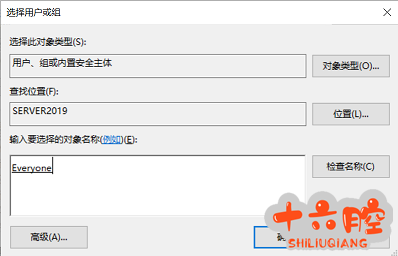
Click to select "Select Subject";
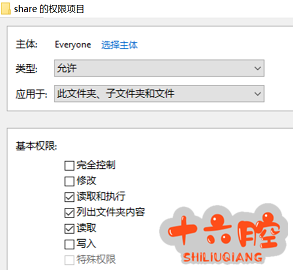
Add users to the window, or increase the everyone;
Confirm that the newly added user has read and write permissions, and click OK to complete the addition.
|
Address of this article:https://073868.com/post/1126.html
Copyright Notice:
For relevant infringements, reports, complaints and suggestions, please send E-mail:weixiuwang68@qq.com
Tags: #Send failed #Scan to Folder #SMB







