
|
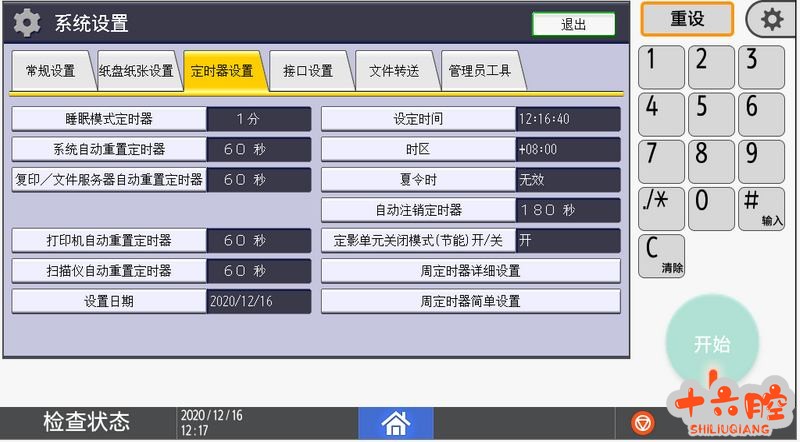
Symptoms The IMC6000 cannot use wireless (WiFi) printing. The machine has been connected to the local area network using wireless (WiFi), and the computer can ping the machine, but it cannot log in to the built-in web page of the machine and cannot print. The print driver keeps showing offline. Everything is normal when connected with a network cable. Reason 1. Firmware version issue; 2. WiFi module issue; 3. Set up problems; Measures 1. Upgrade the firmware to the latest version, but the fault persists; 2. Reset all options of the user tool to factory settings, but the fault persists; 3. Replace the WiFi module, but the fault persists 4. Compared with the normal machine settings, it was found that the date and time settings were not the correct time of the day. Setting it to the correct time of the day resolved the issue.
|
Address of this article:https://073868.com/post/1023.html
Copyright Notice:
For relevant infringements, reports, complaints and suggestions, please send E-mail:weixiuwang68@qq.com







