
|
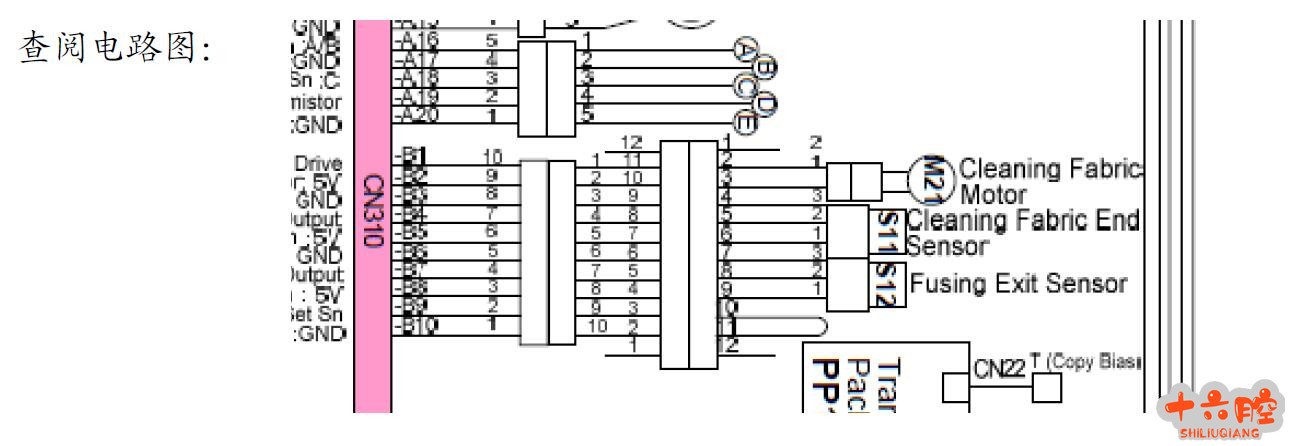
Ricoh Pro1107ex, Pro1357ex, 907, 906, 1106, 1350 fixing cleaning paper motor does not rotate Symptoms There are scattered powder spots on the photocopy. After checking the fixing cleaning paper, it was found that the cleaning paper was not rolled up. The SP5804-34 output was used to test the cleaning paper motor, and it was found that the cleaning paper motor did not rotate. The cleaning paper motor was replaced, and the sensor was used up after replacing the cleaning paper. The IO board (motherboard) was replaced, but the fault still persisted. Refer to the circuit diagram:
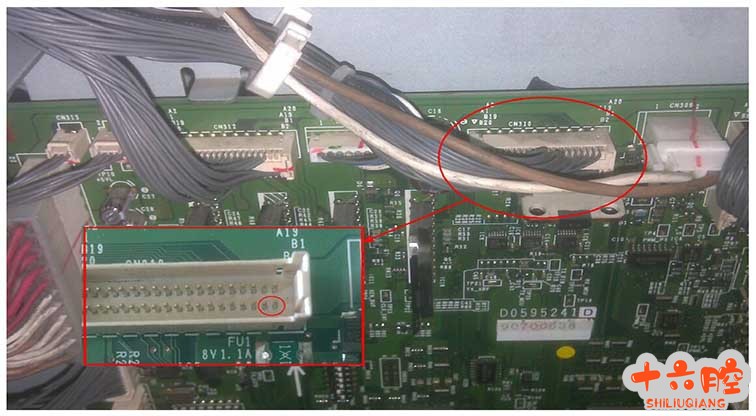
Find the corresponding cleaning paper motor plug on the CN310 plug B1, B2 of the IOB board
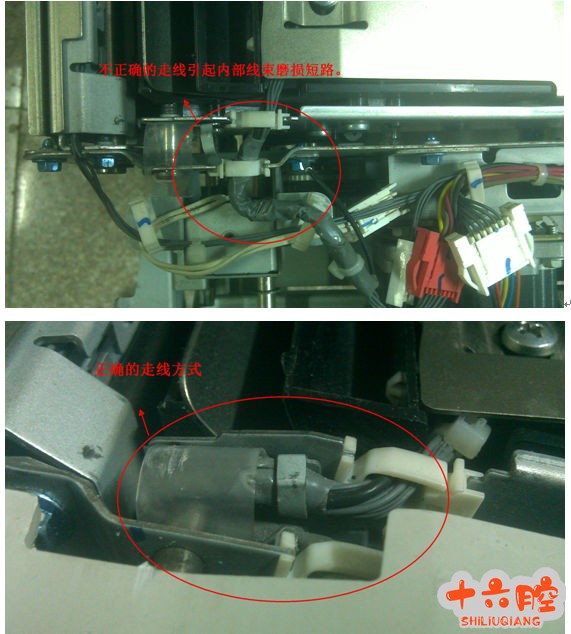
Using a multimeter to measure BI, there is no 5V voltage output at the B2 endpoint. Due to ineffective replacement of the IOB board, other functions of the copier are normal. Analysis suggests that the possible cause may be a short circuit in the 5V output of the IOB board. Upon careful inspection of the output around the IOB board, it was found that the cleaning paper motor was functioning properly after the double-sided output was disconnected. Reason The wiring method for the connecting wire of the double-sided switch valve is incorrect. When the cover plate of the valve is frequently opened and closed, it is easy to stretch the wire harness, causing wear on the insulation layer of the wire harness and resulting in a short circuit.
Replace the damaged wiring harness and follow the correct routing method The main reason for the current situation where the cleaning paper motor does not rotate is due to high resistance. The lubricating oil of the motor gear set has dried up under high temperature, causing abnormal rotation and damaging the motor, generating high current and burning out the control chip of the IOB board. solve the problem: 1. Replace the clean oil mesh motor. 2. Replace the iB board with a new one (expensive). Note: Today's repair is an exception, and we rarely encounter such problems. All repair technicians must carefully observe and test during the repair process. |
Address of this article:https://073868.com/post/1022.html
Copyright Notice:
For relevant infringements, reports, complaints and suggestions, please send E-mail:weixiuwang68@qq.com
Tags: #907 #1356 #1357 #Motherboard #1107






