
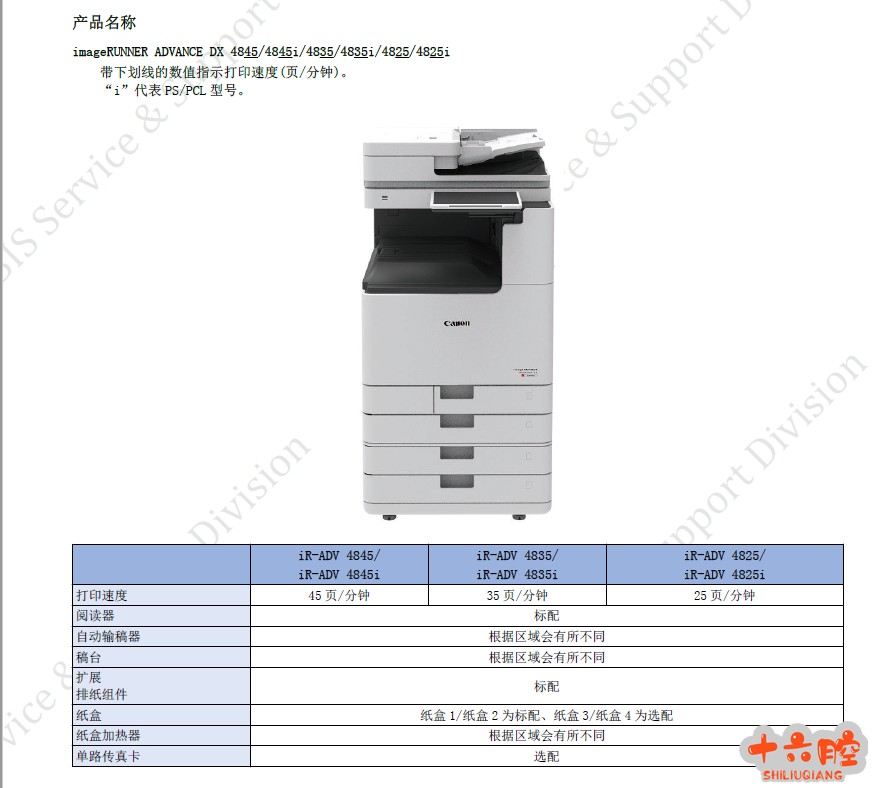
iR-ADV 4845/iR-ADV 4845i
iR-ADV 4835/iR-ADV 4835i
iR-ADV 4825/iR-ADV 4825i
ImageRUNNER ADVANCE DX 4845/4835/4825 Series Installation Manual
imageRUNNER ADVANCE DX 4845/4845i/4835/4835i/4825/4825i
Canon iR-ADV 4845,4835,4825i Chinese repair manual, installation manual, parts manual
Steps to select test print TYPE
1. Set the number of printed sheets, paper size, etc.
2. Choose COPIER>TEST>PG.
3. Choose COPIER>TEST>PG>TYPE.
4. Enter the required TYPE number and press the OK key.
5. Choose COLOR-K.
6. Set the concentration in DENS-K (enable this mode when TYPE=2, TYPE=3, and TYPE=5).
7. Press the start button.
Link: https://pan.baidu.com/s/1MRh5paExfV8sSXfw7U2WQw
Address of this article:https://073868.com/post/758.html
Copyright Notice:
For relevant infringements, reports, complaints and suggestions, please send E-mail:weixiuwang68@qq.com







