
|
Kyocera FS-1020 1025MFP firmware upgrade program+Kyocera FS-1040, FS-1060DN, FS-1020MFP, FS-1120MFP, FS-1025MFP, FS-1125MFP serial number recovery tool Kyocera FS-1020 1025MFP firmware upgrade program to solve problems such as copy image enlargement
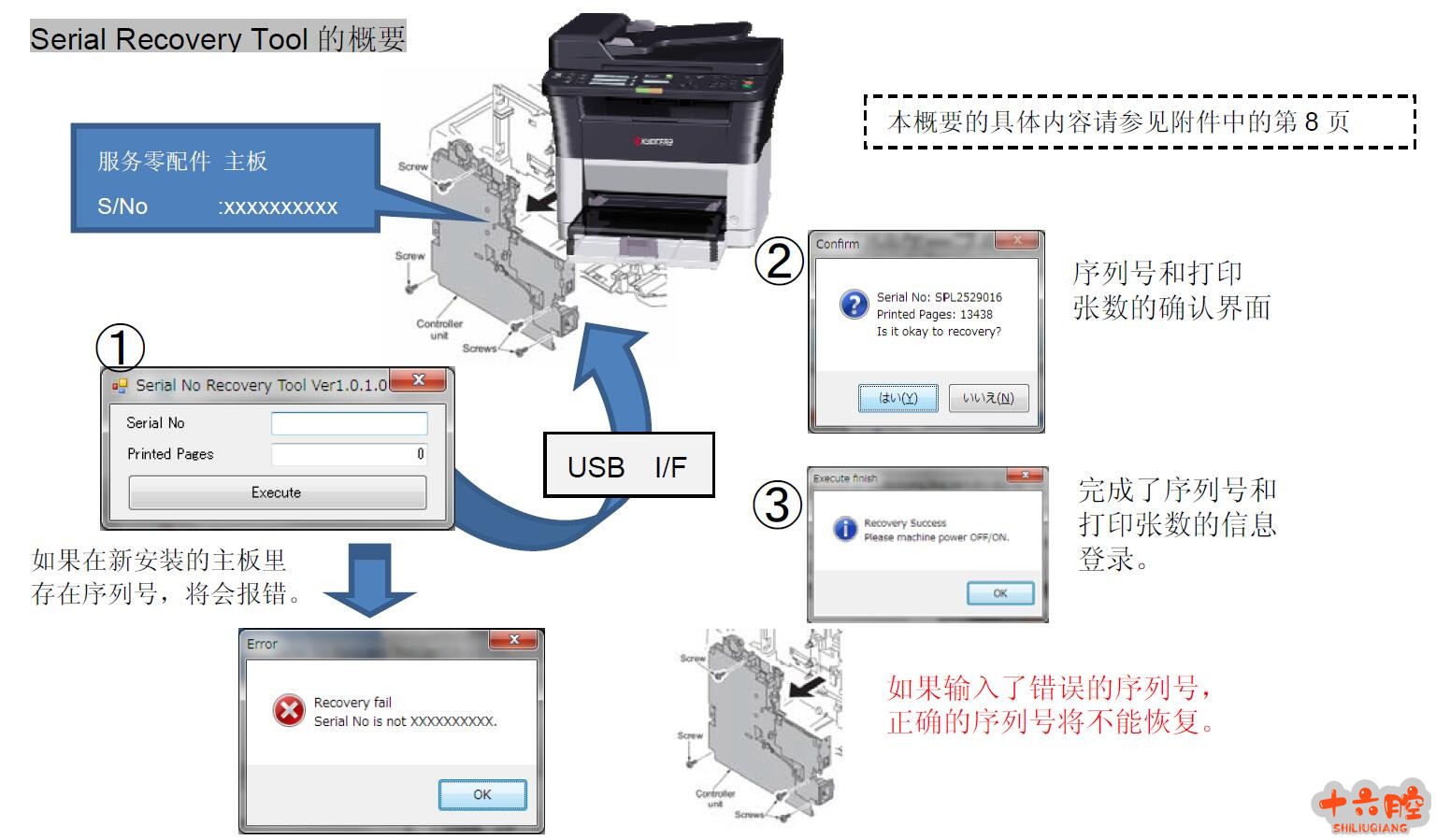
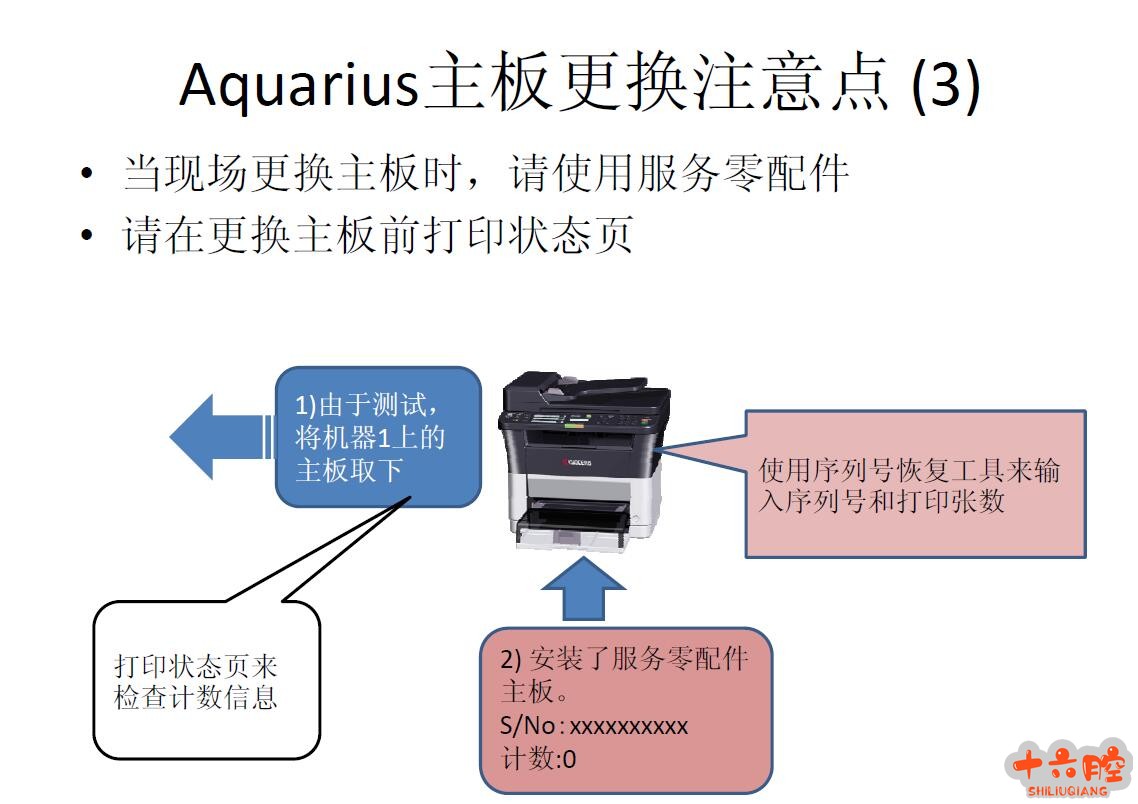
Kyocera FS-1040, FS-1060DN, FS-1020MFP, FS-1120MFP, FS-1025MFP, FS-1125MFP Serial Number Recovery Tool When replacing the motherboard, use the Serial Recovery Tool to enter the "serial number" and "number of prints". Please pay attention to the following points. For detailed information, please refer to the attached document 'Serial, No, Recovery, Ver1 0 1, 2, Guidance' 【 Precautions when replacing the motherboard 】=Overview= When replacing the motherboard and installing unused service parts on the machine, please refer to the attachment for corresponding information. If the motherboard of another machine is used, the machine will operate with the serial number of the other machine, which may result in the inability to obtain warranty After installing the motherboard as a service spare on the machine, please run the Serial Recovery Tool on your PC to enter the following items (Please note that entering incorrect values may result in the inability to recover the serial number.) Enter the item ->"Serial Number" and "Number of Prints" 2. It is necessary to include "Visual C++2010" and " Run the Serial Recovery Tool in the NetFramework 4 system environment. If the environment is not available, please download the installation package and proceed with the installation. After replacing the motherboard, the "MAC address" and "USB UID" will also be changed. Please refer to the attached content for further settings.
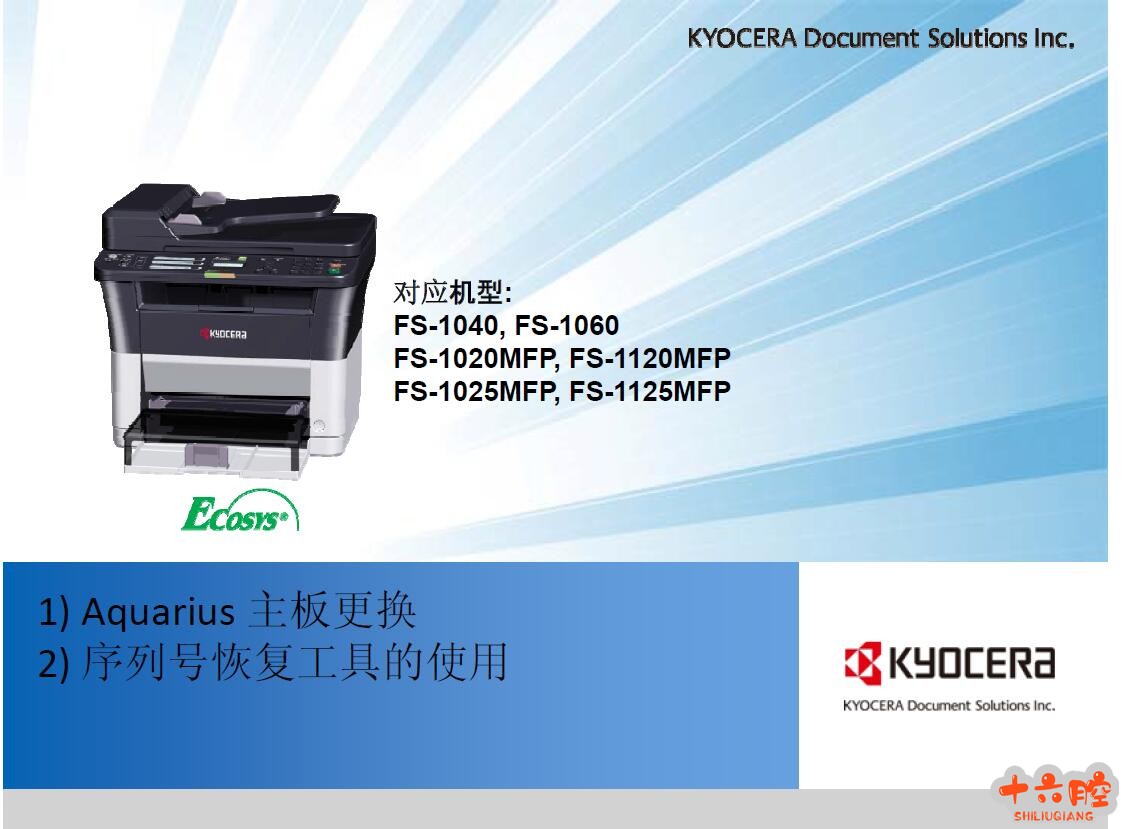
Catalog: 1) Aquarius motherboard replacement 1. Aquarius motherboard replacement precautions (1) 2. Precautions for Aquarius motherboard replacement (2) 3. Precautions for Aquarius motherboard replacement (3) 4. Precautions for Aquarius motherboard replacement (4) 5. Overview of Serial Number Recovery Tool 2) The use of serial number recovery tool 1. Interface 2. Use 3. Rules prohibiting input 4. Restrictions 5. Computer environment 3) Supplement Kyocera 1020,1025 Copy Enlarge Firmware Link: https://pan.baidu.com/s/1QgMI96xnDC0bEgn6HmW8Zw Extraction code: mkqr Firmware+Serial Number Recovery Tool Link: https://pan.baidu.com/s/1u1BsmstGk31gmTPjuKqZfw Extraction code: 9ihc |
Address of this article:https://073868.com/post/4595.html
Copyright Notice:
For relevant infringements, reports, complaints and suggestions, please send E-mail:weixiuwang68@qq.com







