
|
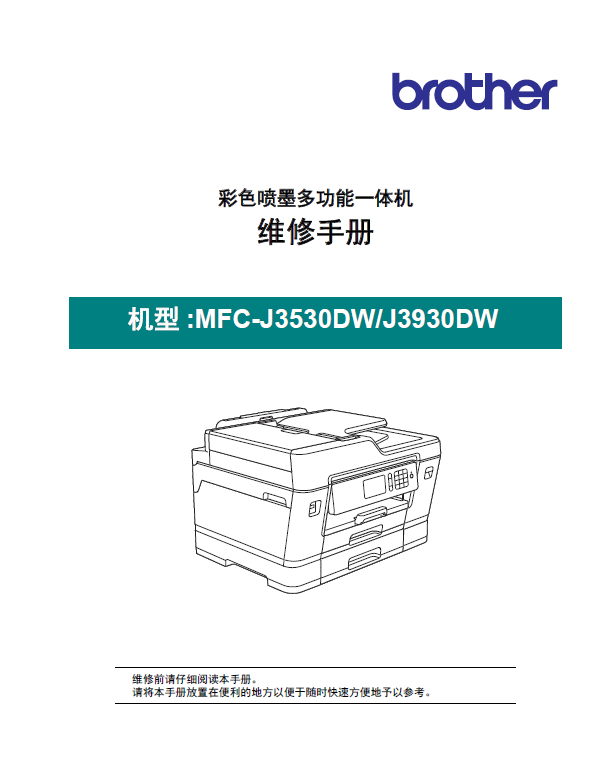
Brother MFC-J3530DW J3930DW 3530 3930 inkjet printer Chinese repair manual
The ADF original detection adjuster detects whether an original is loaded on the original tray. The ADF document width adjuster confirms the original document size. The original suction stick feeds the raw straw on the original support plate into the inside of the automatic feed. The original separation roller divides the original fed by the suction roller into single pages. ADF Separation Pad The original paper feed rollers 1 and 2 send the paper to the CIS unit, the original blessing scanning position five adjuster detects the front and rear ends of the original blessing, adjusts the scanning start positions of the front and back sides of the original blessing, and also detects the paper jam in the automatic feeding device. The original paper roller sends the original disaster to the original paper. · Printing and Paper Feeding Part Name Function T1ff2 Paper Entry Spoke sends paper from Paper Read #1 and Tray #2 to the paper feed station. When the positioning regulator detects the front edge of the paper, push the paper to reverse The rotating or stopped feed rollers collide to correct the skew of the paper. The position adjuster detects the front edge of the paper to check the print start position of the paper. Detecting the front/rear edge of the paper to identify the paper size. Detecting a paper jam on the back of the device. When the paper feed spokes to correct the skew of the paper, the paper suction shaft and the double-sided paper feed knead reverse rotation or stop · After correction, send the paper to the print start position. Send the printed paper to the flip switch. The flip switch adjuster detects whether the printed paper is sent out. At the time of double-sided printing, the reversal timing of the side switching roller is adjusted by detecting the rear end edge of the sheet on which front side printing has been completed. Detect paper jam in the paper output section of the equipment. Check whether the paper is loaded into the device. The flip switch sends the paper to the paper output tray · When double-sided printing, when the paper has been printed on the front side is sent out a certain distance After that, the flip switch roller rotates in reverse to feed the paper into the double-sided printing path. When printing on both sides, the two-sided paper feed roller sends the paper through the two-sided printing path to the paper feed. When the positioning regulator detects the front edge of the paper, it pushes the paper with the stop The paper feed sticks collide to correct the skew of the paper. The MP paper suction stick sends the paper from the multi-purpose feed board to the feed shaft. When the positioning regulator detects the front edge of the paper, it pushes the paper with the stop or counter-rotating feed rollers collide to correct the skew of the paper. The MP paper detector regulator detects whether paper is loaded in the multi-function feed board. Link: https://pan.baidu.com/s/1u3l5XyYVJz5Z4os-AFmusA提取码:8xtz |
Address of this article:https://073868.com/post/3908.html
Copyright Notice:
For relevant infringements, reports, complaints and suggestions, please send E-mail:weixiuwang68@qq.com







