
RICOH SP310DN/SP312DNw/SP310SFN/ SP312SFNw,Ricoh SP310 DNw V
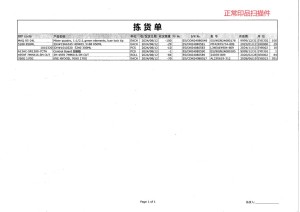
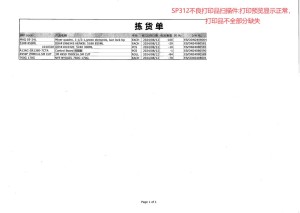
Symptom: In recent months, during customer visits, we have received feedback from multiple customers that our SP312/SP310 A4 desktop printer has been printing normally for several years. However, in recent months, there have been cases where the print preview is normal but incomplete parts of the print are missing (A4 horizontal printing is more common). See the following figure for details:
Maintenance process:
1. On site confirmation shows that the customer's computer has been using the RICOH SP 312SFNw PCL 6 driver without any changes, and the printer has been printing normally since installation. However, in recent months, abnormal printing has gradually occurred. Ask the customer if their computer system has been updated recently, and the customer says they are unsure what patches have been updated
2. Save the file as a PDF and use Adobe Acrobat Reader to print, but the problem still persists; Printing the same file to MP2554 A3 MFP on the same computer of the customer is normal;
3. Updating the printer firmware to the latest version has not resolved the issue.
4. Install the official website driver on your own computer and come to your door again. Use the same file from the customer to print the print normally. Comparison shows that the customer is using the driver version RICOH SP 312SFNw PCL 6 (version: ver1.06), which has not been updated since installation.
The newly installed driver version on the built-in computer is RICOH SP 312SFNw PCL 6 (version: ver1.08). Contacting the customer's IT department to remotely open administrator privileges on the user's computer to install the new version of the official website driver and print it normally. Guide two other customers with the same issue to update the driver, test and print, and restore normal operation.
Solution: Update the corresponding model drivers of SP312 and SP310 to the latest version on the official website
(It is recommended to update the printer firmware at the same time).
Link: https://pan.baidu.com/s/1EwfEnS2buY_KltWJEBPSXw
Extraction code: i1et
Address of this article:https://073868.com/post/2086.html
Copyright Notice:
For relevant infringements, reports, complaints and suggestions, please send E-mail:weixiuwang68@qq.com
Tags: #SP310SFN #SP312 #SP310 #Incomplete printing






