
|
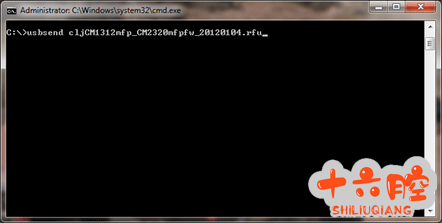
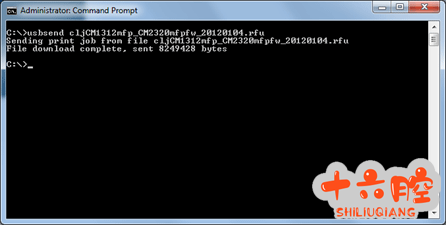
HP M203,M206,M227,M230 Replaced Motherboard Brush File Data M203D,M203dn,M203dw,M206dn,M227d,M227fdn,M227fdw,M227sdn,M230sdn UseUSBSENDUpgradeFirmwareorDescription of the refresh motherboard model 1. will USBsendandTo beUpgrade firmware(Motherboardrefresh file)RFUThe file is unzipped to the same directory, preferably.RFUFile Rename to Simple Name;2. EnsureComputer andPrinterThroughUSBCable connection, and the computer is connected to only one printer;3. In DOSmode, enter the previously unzipped directory, and then runUSBSENDtextitem RFUFile name,If there is no changeRFUThe name of the file, which is:USBSEND ljM1536mfpfw_20140123.rfu,Then press Enter.4.
|
Address of this article:https://073868.com/post/2013.html
Copyright Notice:
For relevant infringements, reports, complaints and suggestions, please send E-mail:weixiuwang68@qq.com
Tags: #M203 #M206 #M227 #M230 #Motherboard Data





