
HP 765,780,785,E75160,E77650,E77660,E776 Chinese fault code repair manual
HP PageWide Enterprise Color 765, MFP 780, 785, and HP PageWide Managed Color E75160, E77650, E77660, and LPDc E776 Printers-Control Panel Message Document (CPMD)
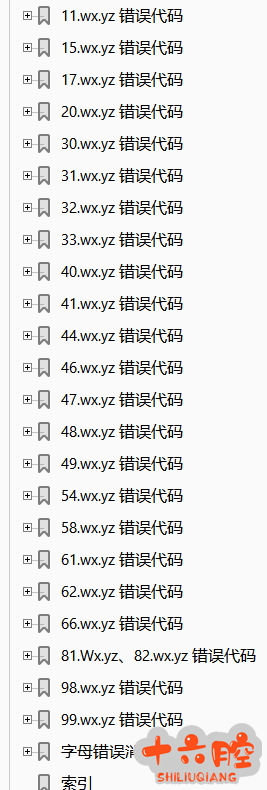
This fault code manual only contains fault code instructions, recommended solutions, not other disassembly, principles, etc., only codes
The fault code can clearly check the code of the machine and solve the problem according to the code meaning.
2 in Chinese and English
15.D2.5z
The right side of the duplex paper path is jammed when printing the first side of a duplex job. The duplex exit sensor does not detect the trailing edge of the paper in the specified source tray within the allotted amount of time.
z = source tray
15.D2.50 When printing the first side of a duplex job from an unknown tray, the duplex exit sensor detects a jam on the right side of the duplex paper path.
15.D2.51 When printing the first side of a duplex job from tray 1, the duplex exit sensor detects a jam on the right side of the duplex paper path.
15.D2.52 When printing the first side of a duplex job from tray 2, the duplex exit sensor detects a jam on the right side of the duplex paper path.
15.D2.53 When printing the first side of a duplex job from tray 3, the duplex exit sensor detects a jam on the right side of the duplex paper path.
15.D2.54 When printing the first side of a duplex job from the A3 accessory upper tray, the duplex exit sensor detects a jam on the right side of the duplex paper path.
15.D2.55 When printing the first side of a duplex job from the A3 accessory middle tray, the duplex exit sensor detects a jam on the right side of the duplex paper path.
15.D2.56 When printing the first side of a duplex job from the lower tray of the A3 accessory, the duplex exit sensor detects a jam on the right side of the duplex paper path.
15.D2.57 When printing the first side of a duplex job from the HCI left tray, the duplex exit sensor detects a jam on the right side of the duplex paper path.
15.D2.58 When printing the first side of a duplex job from the HCI right tray, the duplex exit sensor detects a jam on the right side of the duplex paper path.
15.D2.59 When printing the first side of a duplex job from the A3 accessory tray, the duplex exit sensor detects a jam on the right side of the duplex paper path.
Link: https://pan.baidu.com/s/165-2V2UcOjMqG6qc1N6Log
Tags: #E75160 #E77650 #E77660 #E776 #Fault Code Table







